

Small business mobile device security is the practice of protecting organizational data accessible via employee phones, tablets, and laptops through policy, technology, and training. Approximately 48% of organizations experienced data breaches linked to unsecured personal devices in the past year. That number tells you something important: the threat is not theoretical. It is happening right now, on devices your employees are using today. The good news is that the right guardrails, applied consistently, make a real difference. This guide walks you through exactly what to do.
What are the key prerequisites for small business mobile device security?
Before you deploy any tool or write any policy, you need a clear picture of what you are protecting. Start by building a device inventory. List every phone, tablet, and laptop that touches your business data, whether the company owns it or the employee does. You cannot secure what you cannot see.
Once you have that list, apply these baseline controls to every device:
- Minimum PIN length: Require a 6+ digit PIN or biometric lock on all devices. Short PINs are the equivalent of a screen door on a vault.
- Device encryption: Enable full-disk encryption on every device. Most modern iOS and Android devices support this natively.
- Auto-lock timer: Set screens to lock within 5 minutes of inactivity. A device left unlocked on a coffee shop table is an open door.
- OS patch cadence: Require operating system updates within 30 days of release. Unpatched devices are the most common entry point for attackers.
- MDM enrollment consent: Before enrolling any personal device into your mobile device management system, get written employee consent. This protects both parties.
Pro Tip: Create a one-page device registration form that employees complete before their device accesses company email or files. It takes five minutes and gives you a signed record of every device in your environment.
The NIST Cybersecurity Framework 2.0 maps directly to these baseline controls. Aligning your setup with NIST SP 800-53 from the start makes future audits far less painful. Small businesses that skip this step often find themselves rebuilding their entire security posture when a compliance audit arrives.
How can small businesses implement effective mobile device management?
Mobile device management, or MDM, is the technology layer that lets you enforce security policies across every enrolled device from a single console. Without it, you are relying on employees to manually apply settings correctly. That rarely works at scale.

For small businesses with 5–250 users, Microsoft Intune included in Microsoft 365 Business Premium is a cost-effective starting point. It covers both company-owned and personal devices, and most small businesses already pay for Microsoft 365. You are not buying a new tool. You are activating one you already own.
Here is a practical rollout sequence:
- Audit your device inventory. Confirm every device model, OS version, and ownership status before touching any settings.
- Configure your baseline policies. Set PIN requirements, encryption, auto-lock, and app restrictions in your MDM console before enrolling a single device.
- Run a pilot group. Pilot groups of 5–10 devices should test new settings before a full rollout. This catches policy conflicts that break business apps.
- Roll out in phases. Deploy to groups of 10–20 devices at a time. This limits disruption if something goes wrong.
- Monitor and tune. Review compliance reports weekly for the first month. Fix non-compliant devices before moving to the next group.
The table below shows how MDM feature categories map to common small business needs:
| Feature category | What it does | Why it matters |
|---|---|---|
| Policy enforcement | Pushes PIN, encryption, and lock settings | Removes reliance on employee self-compliance |
| Remote wipe | Erases device data from the console | Protects data when a device is lost or stolen |
| App management | Controls which apps can access corporate data | Blocks risky or unauthorized apps |
| Conditional Access | Blocks non-compliant devices from company resources | Stops unmanaged devices at the door |
| Compliance reporting | Flags devices out of policy | Gives IT visibility without manual checking |
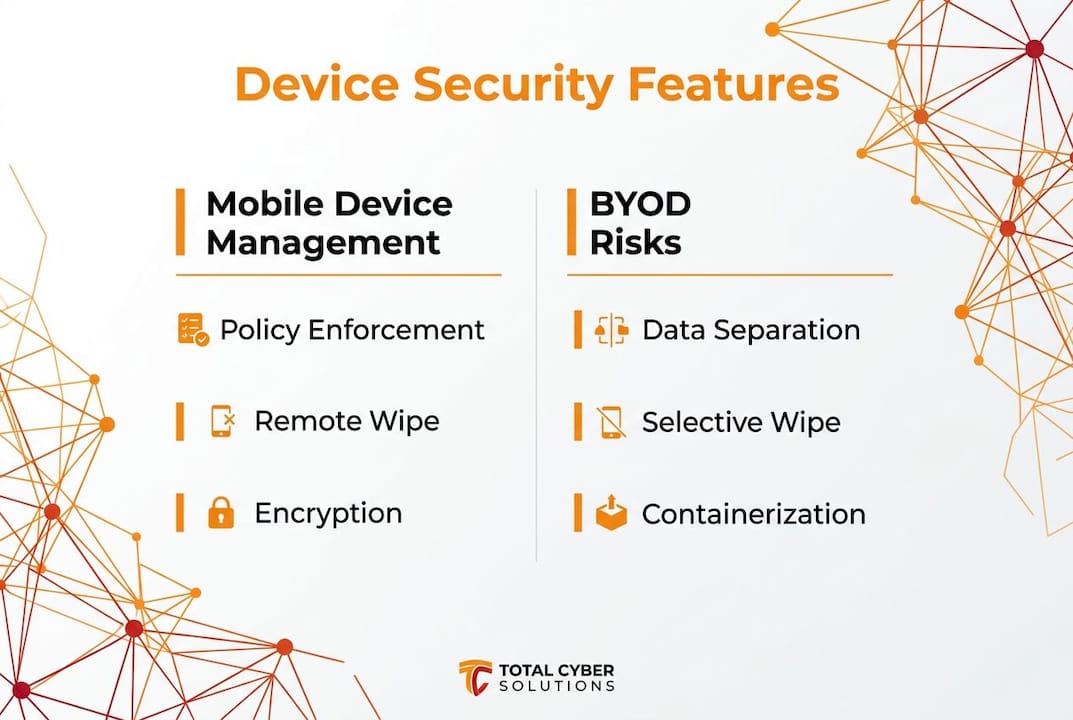
Pro Tip: Configure remote wipe before you need it. Remote wipe must be set up proactively before a device is lost. Trying to configure it after the fact is too late.
52% of IT staff report increased workload managing employee-owned devices without automation. MDM eliminates that overhead by enforcing policies automatically. Your IT team stops chasing individuals and starts managing exceptions.
What are the best practices for maintaining ongoing mobile security?
Deploying MDM is not the finish line. It is the starting line. The real work is keeping your security posture current as threats, devices, and employees change.
Phishing and smishing attacks target mobile users directly. A text message that looks like a shipping notification or a bank alert can trick even careful employees. Regular mobile phishing awareness training teaches your team to pause before they click. Run short, scenario-based training sessions quarterly, not just at onboarding.
Patch management is equally non-negotiable. Require OS updates within 30 days of release and use your MDM to flag devices that fall behind. Apps need the same attention. Outdated apps carry known vulnerabilities that attackers exploit. Malicious apps found on Google Play and the Apple App Store are a real and documented threat, not a hypothetical one.
“Policy alone is insufficient. Automated compliance enforcement reduces incidents significantly. Organizations that rely on written policies without technical controls consistently see higher breach rates than those that automate enforcement through MDM.”
When a device goes missing, you need a clear response process. Designate who has authority to approve a remote wipe, document that process in writing, and test it before you need it. Require administrator approval before executing a wipe to prevent accidental data loss. Speed matters here. The faster you act, the less data is at risk.
How do you manage risks specific to BYOD programs?
Bring Your Own Device programs give employees flexibility. They also introduce risks that company-owned device programs do not face. The core challenge is that you are managing security on hardware you do not own, used by people who have privacy expectations you must respect.
BYOD environments carry a 2.7 times higher security incident risk than fully managed device programs. That does not mean BYOD is off the table. It means you need a specific strategy for it.
The table below compares key risk areas across BYOD and company-owned device programs:
| Risk area | BYOD | Company-owned devices |
|---|---|---|
| Data separation | Requires containerization or MAM | Managed at the OS level |
| Employee privacy | High sensitivity; requires clear policy | Lower concern; employer owns device |
| Compliance for regulated data | Requires MDM enrollment or access restriction | Straightforward MDM enrollment |
| Remote wipe scope | Selective wipe only | Full wipe permitted |
Containerization and Mobile Application Management (MAM) policies solve the privacy problem. Selective wipe removes corporate data from a personal device without touching personal photos, messages, or apps. Employees accept MDM enrollment far more readily when they understand this distinction. Clear communication about what your MDM can and cannot see on a personal device is not just good manners. It is a compliance and trust requirement.
For businesses handling regulated data, such as Controlled Unclassified Information under DFARS or CMMC requirements, unmanaged BYOD devices fail compliance audits consistently. Your options are MDM enrollment for every device that touches regulated data, or blocking that data from personal devices entirely. There is no middle ground that passes an audit.
Pro Tip: Include a one-page BYOD addendum in your employee handbook that explains exactly what your MDM software can access, what a selective wipe does, and what triggers one. Employees who understand the rules follow them. Employees who feel surveilled push back.
The risks of shadow IT compound in BYOD environments. When employees use personal apps to share work files because the approved tools feel inconvenient, your data leaves your control entirely. Address this by making approved tools easy to use, not just mandatory.
Key Takeaways
Effective mobile device protection for small businesses requires combining MDM automation, clear BYOD policies, and ongoing employee training before a breach forces the issue.
| Point | Details |
|---|---|
| Build a device inventory first | You cannot secure devices you do not know exist; list every device touching company data. |
| Apply baseline controls immediately | Require 6+ digit PINs, encryption, auto-lock within 5 minutes, and 30-day patch cycles. |
| Use MDM to automate enforcement | Policy without automation fails; MDM enforces settings across all devices without manual follow-up. |
| Pilot before full rollout | Test new MDM policies on 5–10 devices first to catch app conflicts before they affect everyone. |
| Treat BYOD as a separate risk category | Use selective wipe and containerization to protect data while respecting employee privacy. |
What I have learned from real MDM deployments
I have watched small businesses make the same mistake repeatedly. They write a solid mobile device policy, send it to employees, and consider the job done. Six months later, half the devices in the environment are running outdated OS versions, and nobody noticed.
The uncomfortable truth about mobile security for SMBs is that the policy document is almost irrelevant without the technical controls behind it. Employees are busy. They are not ignoring your policy out of malice. They are ignoring it because they have twelve other things to do before lunch. Automation removes the human decision from the equation entirely. The device either meets the policy or it cannot access company resources. Full stop.
The second thing I have seen trip up small businesses is the BYOD privacy conversation. IT managers often avoid it because it feels awkward. That avoidance backfires. When employees do not understand what MDM sees on their personal phone, they assume the worst. They opt out, they find workarounds, and your security posture gets worse, not better. A five-minute honest conversation about selective wipe and data separation changes the dynamic completely.
Phased rollouts are not optional for small teams. Applying new MDM policies to all devices simultaneously causes business app failures that land on your desk at the worst possible moment. Pilot groups are not bureaucratic overhead. They are how you avoid a Friday afternoon crisis. Start with your least critical devices, tune the settings, then expand. The extra two weeks upfront saves you two days of firefighting later.
— Alden
How Totalcyber helps protect your mobile devices
Securing every phone and tablet in your business is a real operational challenge, especially when your IT team is small or stretched thin.

Totalcyber provides managed cybersecurity services built specifically for small and mid-sized businesses, including MDM deployment, BYOD policy development, and ongoing compliance monitoring. The team also delivers cyber awareness training that teaches your employees to recognize phishing texts, malicious apps, and unsafe device behavior before the click happens. Every service is designed to reduce your risk without requiring a full-time internal security team. If you are ready to get your mobile environment under control, reach out through the MSP form and Totalcyber will build a plan that fits your size and budget.
FAQ
What is mobile device management for small businesses?
Mobile device management (MDM) is software that lets you enforce security policies, push updates, and remotely wipe data across all enrolled devices from a single console. For small businesses, solutions like Microsoft Intune included in Microsoft 365 Business Premium offer a cost-effective starting point.
How does BYOD increase security risk for small businesses?
BYOD environments carry a 2.7 times higher security incident risk than fully managed device programs. Personal devices often run outdated software and lack the baseline controls that company-owned devices carry by default.
Can MDM see personal data on employee phones?
MDM does not need to access personal photos, messages, or apps to enforce security policies. Selective wipe and containerization separate corporate data from personal data, so your business can protect its information without monitoring personal activity.
What should a small business BYOD policy include?
A BYOD policy should cover minimum OS and PIN requirements, MDM enrollment consent, acceptable use rules, and a clear explanation of what a selective wipe does and what triggers one. Businesses handling regulated data must also address DFARS or CMMC compliance requirements.
How often should small businesses update their mobile security policies?
Review your mobile security policy at least once a year, and any time you add a new device category, change MDM platforms, or face a new compliance requirement. NIST Cybersecurity Framework 2.0 recommends treating mobile security as a continuous risk management practice, not a one-time setup.