

An MSP service-level agreement (SLA) is the part of your managed services contract that turns “we’ll take care of it” into numbers. How fast will someone answer? How long until it’s fixed? What happens if they miss? This guide walks through real-world style examples of each clause, so you can read an SLA, or build a template, without a law degree.
Busy week? Skim the next section first.
TL;DR
- An MSP SLA is a contract that documents the services and sets the standards the provider must meet, usually covering scope, metrics, escalation, reporting and remedies.
- Good SLAs split response time (someone picks it up) from resolution time (it’s fixed), and set both by priority level, P1 through P4.
- Uptime promises only mean something with a measurement method, a maintenance carve-out and a remedy such as service credits.
- Security terms, like breach notification and staff screening, belong in the SLA, not in a side email.
- If a clause can’t be measured, it isn’t a commitment. Ask for a number.
Table of Contents
- What an MSP SLA actually is
- The building blocks of a managed services SLA
- Example: priority levels and response times
- Example: service hours and the clock
- Example: uptime and availability
- Example: security commitments inside the SLA
- Example: escalation path
- Example: reporting and review
- Example: remedies when targets are missed
- Red flags in an SLA
- Our perspective: what we think an SLA should do
- How we approach managed services
- A quick checklist before you sign
- FAQ
- Sources
What an MSP SLA actually is
According to TechTarget’s definition, an SLA is a contract between a service provider and its customers. It documents the services and sets the standards the provider is obligated to meet. For a managed IT relationship, that means your help desk, monitoring, patching, backups and security work.
The same source describes three basic types: customer, internal and multilevel. An MSP agreement is a customer-based SLA. It’s negotiated for you, not copied from a public price list.
What it is not: a sales brochure. A line like “fast, friendly support” is a promise of tone. “Priority 1 tickets get a human response within 30 minutes” is an SLA.
The building blocks of a managed services SLA
A template can look different from one provider to the next, but the same parts keep showing up. The FDIC’s March 2024 guidance on managing technology providers is written for banks, yet its checklist applies to any small business. A solid SLA defines:
- The service category being measured
- The acceptable quality range
- How it’s measured, including the formula
- Credits or penalties when it falls short
- How often it’s measured
Law firm Day Pitney makes a similar point in its analysis of service-level agreements: measurable standards, defined measurement methods and periods, assigned reporting responsibilities, and meaningful remedies. It also warns that exclusions, such as third-party performance, need careful limits and clear wording.
Here’s how that maps to a sample outline you can use as a template:
- Parties and term. Who is covered, which locations and users, start date, renewal.
- Service scope. What’s included (help desk, monitoring, patching, backup, security) and what’s billed separately.
- Service hours and support channels. Phone, portal, email, after-hours rules.
- Priority definitions. What counts as P1, P2, P3, P4.
- Response and resolution targets. By priority.
- Availability targets. For networks, cloud systems and key applications.
- Security commitments. Monitoring, patch timelines, breach notice.
- Escalation path. Who gets called when a target is at risk.
- Reporting and review. What you receive, how often, who sits in the meeting.
- Remedies. Credits, caps, repeated-failure rights.
- Exclusions. Outages from third parties, your own changes, force majeure.
- Termination. Circumstances for ending the agreement and the notice period, which TechTarget lists as a standard element.
That’s the skeleton. Now the meat.
Example: priority levels and response times
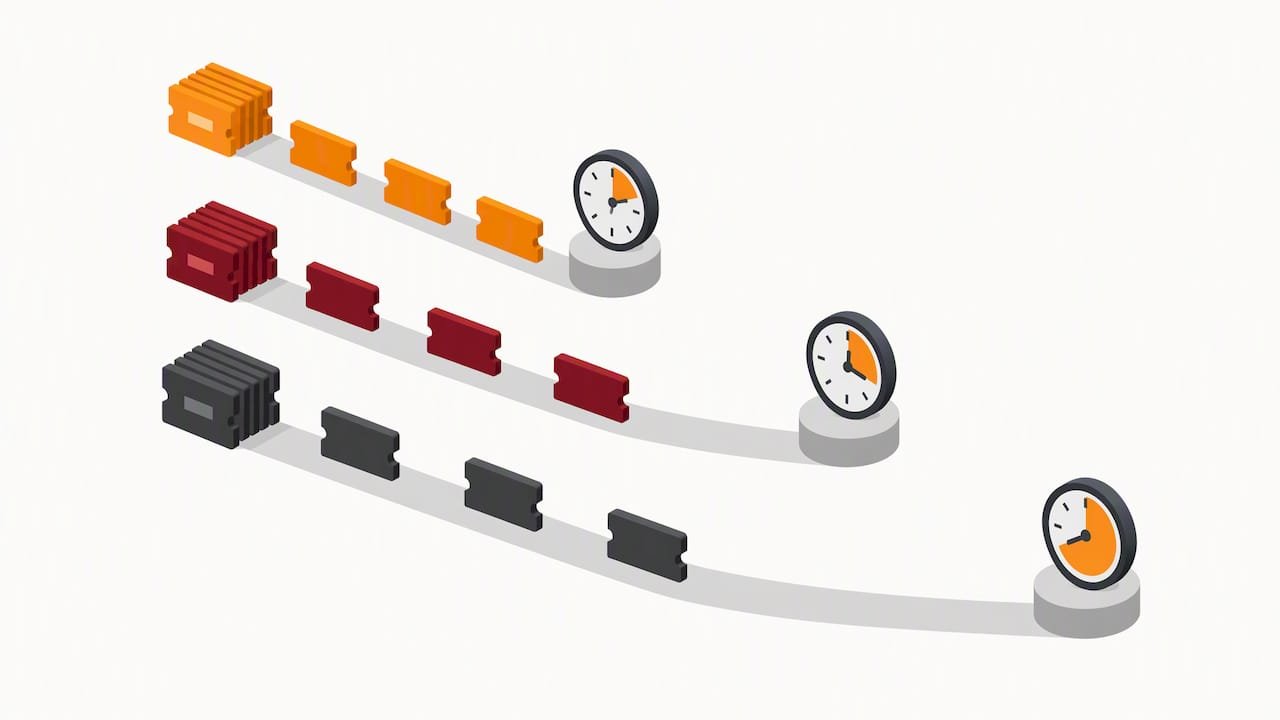
Most searchers asking about “P1, P2, P3, P4” want to know what each level means. There is no universal standard. Each provider defines its own, so the definitions matter as much as the clock.
Here’s a sample priority definition set. It’s an illustration of how these clauses are commonly structured, not a quote from any provider’s contract, and not a promise from us:
| Priority | Plain-English definition | Example | Sample response target | Sample resolution target |
|---|---|---|---|---|
| P1 Critical | Business stopped or active security incident | Server down, ransomware suspected, whole office offline | 30 minutes | 8 business hours |
| P2 High | Major function degraded, workaround painful | Email down for a department, VPN failing for many users | 2 hours | 1 business day |
| P3 Medium | One user or a minor issue, work can continue | One laptop slow, printer offline | 4 hours | 2 business days |
| P4 Low | Request or question, no urgency | New-hire setup, software install | 1 business day | 5 business days |
The sample numbers are in line with what publicly available U.S. MSP templates illustrate, such as the NinjaIT MSP SLA guide, which shows 30-minute P1 and 1-business-day P4 response targets. Treat them as a conversation starter. Your tolerance for downtime sets the right numbers, not a blog post.
Three details to look for:
- Response means a human, not an auto-reply. Define it. “Acknowledged by a technician who has begun work” beats “ticket received.”
- Who decides the priority? Best practice is that you can request a level, and the provider can only lower it with your agreement.
- Does the clock stop? Waiting on you for a password is fair. Waiting on the provider’s own vendor shouldn’t be.
Example: service hours and the clock
This is where small print bites. “30 minutes” sounds great until you learn it only counts 8 a.m. to 5 p.m. on weekdays and your P1 hits at 6:10 p.m. on a Friday.
A clear clause might read like this in your own words:
Priority 1 incidents are supported 24 hours a day, every day. Priority 2 through 4 are supported during business hours, Monday to Friday, excluding listed holidays. Response time is measured from ticket creation to first technician contact.
Ask three questions:
- Which priorities are covered after hours?
- Is after-hours work included in the monthly fee, or billed at a higher rate?
- Where is the support team located, and who answers at 2 a.m.?
On that last point, we’ll be plain about how we do it: our support is U.S.-based and available 24/7, and our pricing is all-inclusive. Whatever provider you pick, get the equivalent in writing.
Example: uptime and availability
Uptime is the most quoted number in any SLA and the most misunderstood. A sample line from an MSP template might promise 99.9% availability for network services. That’s a figure you’ll see in published templates, including ScopeStack’s managed services agreement template.
What does it mean? Simple math. A 30-day month has 43,200 minutes. At 99.9%, you can lose about 43 minutes before the target is missed. At 99.99%, about 4 minutes. At 99%, more than 7 hours.
Those few minutes are exactly why the fine print counts. Check:
- What is measured. Your firewall? Your hosted server? Microsoft 365? Each needs its own line.
- How it’s measured. By the provider’s monitoring tool, or by your experience?
- Planned maintenance. Most SLAs exclude scheduled windows. Ask how much notice you get, and which hours they fall in.
- Third-party outages. An outage at an internet carrier or software vendor is often excluded. Day Pitney flags this kind of exclusion as one to limit and clarify.
If you’re moving servers or storage off-site, our cloud services page explains what we manage, and the availability terms to compare apply the same way.
Example: security commitments inside the SLA
A modern managed services SLA that skips security is half an SLA. Ask for these as numbers and named duties:
- Monitoring. State who watches alerts, during which hours, and how fast they act on a high-severity alert.
- Patch timelines. For example, critical patches within 7 days and high-severity within 14. These are sample targets, not a regulation. Pick numbers your risk level supports.
- Backup and restore. How often backups run, how often restores are tested, and the target time to restore.
- Breach notification. How quickly you hear about a confirmed incident.
- Staff screening. Whether people with access to your systems are background checked.
For reference points, look at how government buyers write them. California’s model cloud computing provisions for state IaaS and PaaS contracts require a provider to notify the State within 24 hours or sooner of a confirmed breach affecting State data, unless applicable law says otherwise. The same document requires criminal background checks on staff assigned to the contract, as permitted or required by law. That’s one state’s rule for its own contracts, not a rule for your business. But it shows the level of specificity worth asking for. Plenty of cybersecurity for online businesses, from stores to service firms, depends on exactly these kinds of terms, as this overview of cybersecurity for online businesses explains.
Handling health data? Breach terms get even more specific. Our guide to HIPAA business associate agreement clauses covers what to write down. And if your provider is also responsible for monitoring, see how managed cybersecurity services differ from plain IT support.
Example: escalation path
Even a good team misses a target sometimes. The escalation clause says what happens next. A typical structure:
- Tier 1, help desk. First contact, simple fixes.
- Tier 2, senior engineer. Takes over if not resolved within a set share of the target, such as half the resolution time.
- Tier 3, security or systems specialist. Complex or security-related problems.
- Management. Service manager or account lead is notified if the target is about to be missed.
- Executive contact. For repeated or major failures.
ScopeStack’s template says it plainly: escalation procedures spell out the steps, from the help desk to management, when an issue isn’t solved in the target time. Put the names or roles and phone numbers in an appendix. A path nobody can find at 11 p.m. isn’t a path.
Example: reporting and review
An SLA nobody measures is decoration. The FDIC describes the method simply: measure results against defined levels, investigate causes, correct failures, and guide the provider with feedback based on objective metrics.
A sample reporting clause:
Provider delivers a monthly report within five business days of month end showing tickets opened and closed by priority, response and resolution performance against target, uptime for covered systems, patching status, and security events. Provider and Customer meet quarterly to review trends and open risks.
What a useful report shows:
- Percent of tickets that met target, by priority
- The tickets that missed, and why
- Repeat issues (the same printer, the same user, the same error)
- Patch compliance across devices
- Open risks and recommended fixes
If you want a business-friendly dashboard rather than a data dump, say so in the agreement.
Example: remedies when targets are missed
The remedy clause is where you find out whether the numbers are real. The most common remedy is a service credit, a discount on your next invoice. Juro’s SLA template guidance advises checking how credits are calculated and whether they’re capped.
A sample structure:
| Monthly SLA result | Sample remedy |
|---|---|
| Targets met | No action |
| One category missed | Written explanation and corrective plan |
| Two or more categories missed | Service credit on the monthly fee |
| Same target missed three months running | Right to terminate without penalty |
The percentages are for you and your provider to negotiate, so we haven’t invented any here. Things to watch:
- Credits you must request. If you have to file a claim within a short window, many never get paid.
- Low caps. A cap of a tiny share of the fee isn’t much motivation.
- Credits as the only remedy. A credit won’t repay a day of lost sales. Ask what else applies for serious or repeated failure.
The FFIEC’s guidance on key service level agreements tells regulated institutions to have a formal process for monitoring, recourse for non-performance, escalation, dispute resolution and termination. You may not be a bank. The checklist still works.
Red flags in an SLA
Spot these before you sign:
- No numbers. “Prompt” and “timely” can’t be measured.
- Response only, no resolution. A fast reply with no fix date isn’t service.
- Everything is “best effort.” That’s a hope, not a commitment.
- Security missing. No monitoring hours, no patch timeline, no breach notice.
- Broad exclusions. Anything “outside the provider’s control” can swallow the whole promise.
- No exit. No termination right for repeated failure.
- No report. If it’s not reported, it’s not managed.
Our perspective: what we think an SLA should do
We read a lot of SLAs from the buyer’s side. The best ones are short, honest and boring. The worst are long and full of exclusions.
Here’s what we believe. Security shouldn’t be a separate line item bolted on after the help desk. Our managed services are staffed by senior cybersecurity professionals, not only IT generalists, so security sits inside the service rather than next to it. Compliance readiness belongs in the same conversation. If your business answers to HIPAA, NIST, CJIS or CMMC, your SLA terms should line up with those obligations from day one, not get patched in during an audit.
We also think you should be able to read your agreement and explain it to a colleague in five minutes. Clear communication and transparent operations aren’t extras. They’re how trust gets built. And an SLA is a floor, not a ceiling. A true partner talks to you about risks before they become tickets.
— Alden
How we approach managed services
If you’re comparing providers, here’s where we fit. Total Cyber Solutions is a veteran-owned company that provides managed IT services with security built into every plan, U.S.-based 24/7 support and all-inclusive pricing. We don’t publish a price list, because scope depends on your users, systems and compliance needs. A short conversation gets you a clear proposal.

Not sure whether your current SLA holds up? Bring it to us. We’ll walk through it with you, line by line, and point out the gaps. If compliance is on your mind, our policy compliance work can help you line the contract up with the frameworks you answer to.
Ready to talk? Request a discovery call and tell us what you need.
A quick checklist before you sign
- Are priority levels defined with real examples?
- Do you have both response and resolution targets?
- Are service hours explicit, including after-hours for P1?
- Is uptime tied to named systems and a measurement method?
- Are maintenance windows and notice periods stated?
- Are patch timelines, monitoring duties and breach notice in writing?
- Is there a named escalation path?
- Will you receive a monthly report and a regular review?
- Are remedies meaningful, and can you exit for repeated misses?
- Do the exclusions leave anything real?
Ten yeses and you’ve got a solid agreement. Fewer? Ask for changes. A good provider won’t flinch.
FAQ
What are the three types of SLAs?
The three basic types are customer, internal and multilevel SLAs, according to TechTarget. A managed IT agreement is a customer-based SLA, negotiated for a specific client. Multilevel SLAs layer terms for different customer groups or service tiers.
What do P1, P2, P3 and P4 mean in an SLA?
They’re priority levels that set how urgently a ticket is handled. P1 is usually a business-stopping outage or active security incident, and P4 is a low-urgency request. Each provider defines its own levels, so read the definitions and the response and resolution times attached to each.
What is the difference between response time and resolution time?
Response time is how quickly a technician starts working on your ticket. Resolution time is how long until the problem is fixed. You want both in writing, by priority, because a fast reply with no fix date doesn’t keep you working.
What happens if an MSP misses its SLA?
The agreement should say. Typical remedies include a written corrective plan, service credits, and the right to terminate after repeated misses. Check how credits are calculated and capped before you sign.
Is there a free managed services SLA template?
Many providers and contract sites publish templates, and they’re useful for structure. Use the outline in this guide as a starting point, then adapt the numbers to your own risk. Have an attorney review the final agreement.
Sources
- What is a service-level agreement (SLA)?, TechTarget
- Bank Technology Bulletin: Tools to Manage Technology Providers, FDIC
- Demystifying Service-Level Agreements, Day Pitney
- MSP SLA Guide 2026, NinjaIT
- Managed Services Agreement template, ScopeStack
- State Model Cloud Computing Special Provisions IaaS and PaaS, California DGS
- Free Service Level Agreement (SLA) template, Juro
- Key Service Level Agreements and Contract Provisions, FFIEC IT Examination Handbook
- 7 Key Reasons Cybersecurity Matters for E-Commerce Success