

Small business Wi-Fi security hardening is the process of strengthening your wireless network to block unauthorized access, protect sensitive data, and meet compliance standards like PCI DSS. Your Wi-Fi is the front door to everything on your network. Leave it unguarded and you are not just risking a data breach. You are risking your customers’ trust, your finances, and your business continuity. The good news is that the core techniques, including WPA3 encryption, VLAN segmentation, and strong passphrases, are within reach for any business owner willing to spend a few focused hours getting it right.
What are the must-have tools for small business Wi-Fi security hardening?
The right hardware makes every security step easier. Without it, you are trying to build guardrails on a road that was never designed for them.
A dedicated firewall appliance sits between your internet connection and your internal network. It filters traffic, blocks known threats, and gives you visibility into what is moving across your network. Consumer routers bundle a basic firewall, but they lack the granular controls that business environments need.
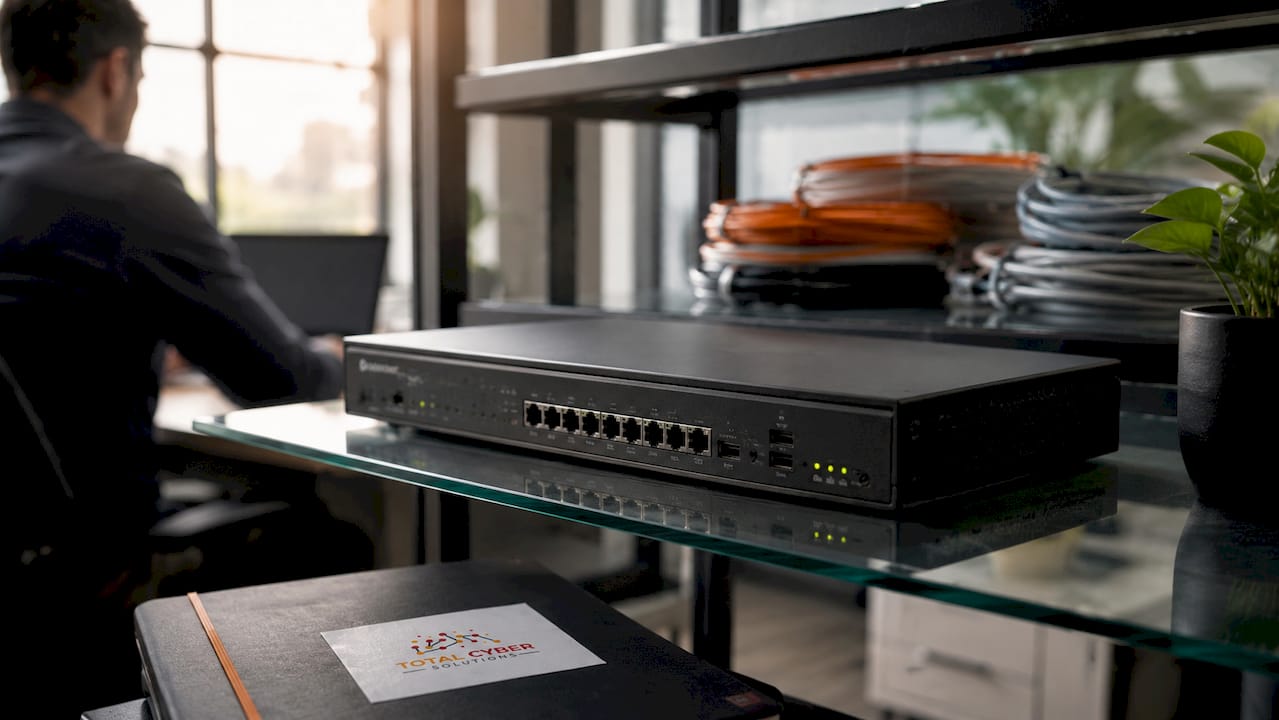
Managed Power over Ethernet (PoE) switches are the second critical piece. They support VLAN tagging, which lets you separate traffic between employees, guests, and IoT devices at the hardware level. They also power your access points directly through the network cable, simplifying your physical setup.
Business-grade access points handle more simultaneous connections, support WPA3, and allow centralized management across multiple locations. Consumer hardware is built for a household of five devices. Your office may have fifty.
| Tool | Business-grade option | Consumer alternative | Security gap |
|---|---|---|---|
| Firewall | Dedicated firewall appliance | Built-in router firewall | No deep packet inspection or policy control |
| Switch | Managed PoE switch | Unmanaged switch | No VLAN tagging or traffic isolation |
| Access point | Business-grade AP | Home router Wi-Fi | No WPA3, no centralized management |
| Management | Cloud-based controller | Router admin page | No audit logs or multi-site visibility |
Pro Tip: Buy your firewall, switch, and access points from the same vendor family when possible. Unified management consoles reduce configuration errors and make audits far simpler.
How to implement strong encryption and password policies for your business Wi-Fi
WPA3 is the gold standard for Wi-Fi encryption, introduced in 2018 and supported by most devices made after 2020. If you have older devices on your network, set your router to WPA3/WPA2 mixed mode as a transitional setting. WPA2-AES is the minimum acceptable fallback. Never run WPA or WEP. Those protocols are broken and offer no real protection.
Password strength is where most small businesses fail quietly. A weak 8-character password can be brute-forced in under 48 hours with widely available tools. A 20-character random passphrase, by contrast, would take trillions of years to crack with current computing power. That gap is not marginal. It is the difference between a network that holds and one that does not.
WPS should be disabled on every business router without exception. The WPS PIN can be cracked in 4–10 hours using freely available tools that exploit a design flaw in the protocol. It was built for convenience, not security.
Encryption and password configuration checklist:
- Enable WPA3 or WPA3/WPA2 mixed mode on all SSIDs
- Set a 20-character or longer random passphrase for each network
- Change the default admin username and password on your router immediately
- Disable WPS on every access point
- Disable remote management unless you use a VPN
- Rotate your Wi-Fi passphrases at least once per year or after any staff departure
Pro Tip: Use a password manager like Bitwarden or 1Password to generate and store your Wi-Fi passphrases. Never write them on a sticky note near the router. That is the first place an attacker looks.
What is network segmentation and why does it matter for small businesses?
Network segmentation means dividing your single Wi-Fi network into multiple isolated zones. Each zone runs on its own SSID and VLAN. Devices in one zone cannot directly reach devices in another unless you explicitly allow it. Think of it as separate rooms with locked doors instead of one open floor plan.
Experts recommend 3–5 SSIDs for small business networks, each mapped to a dedicated VLAN. More than five SSIDs creates beacon frame overhead that degrades Wi-Fi performance for everyone. The right number balances security with usability.
Flat networks, where guests, employees, and POS systems share the same broadcast domain, violate PCI DSS and create critical vulnerabilities. A guest with a compromised laptop can reach your point-of-sale terminal on a flat network. Segmentation closes that door entirely.
| SSID name | VLAN | Security settings | Typical devices |
|---|---|---|---|
| Employee | 10 | WPA3, no client isolation | Laptops, workstations, phones |
| Guest | 20 | WPA2/WPA3, client isolation on | Customer and visitor devices |
| IoT | 30 | WPA2, restricted internet only | Cameras, thermostats, printers |
| POS | 40 | WPA3, isolated, PCI DSS rules | Payment terminals, card readers |
| VoIP | 50 | WPA3, QoS priority | IP phones, video conferencing |
PCI DSS compliance requires strict isolation of payment systems from all other network traffic. Failing to segment your POS network is not just a security risk. It is a compliance violation that can result in fines and loss of card processing privileges.
Pro Tip: Label your VLANs clearly in your switch and firewall configurations. When something breaks at 9 PM on a Friday, clear labels save hours of troubleshooting.
How to configure guest networks and IoT device isolation properly
Your guest network is a public-facing service. Treat it that way. A properly configured guest network gives visitors internet access without giving them any path into your business systems.
Start with a captive portal. Captive portals require guests to accept your terms of service before connecting. That step is not just about branding. It shifts legal liability away from your business if a guest uses your network for something harmful. Most business-grade access points support captive portals natively.
Client isolation is non-negotiable on guest networks. It prevents one guest device from communicating directly with another. Without it, a guest with malicious intent can probe every other device on the same network. Enabling client isolation takes about 30 seconds in your access point settings.
IoT devices are a separate problem. IoT devices often have weak default security and infrequent firmware updates. A compromised smart thermostat or IP camera can become a pivot point into your broader network. Placing IoT devices on their own VLAN with internet-only access eliminates that risk.
Guest network configuration checklist:
- Enable a captive portal with an acceptable use policy
- Turn on client isolation for all guest SSIDs
- Set bandwidth limits per device (typically 5–10 Mbps down)
- Configure session timeouts (60–120 minutes is standard)
- Block guest VLAN access to all internal VLANs at the firewall
IoT network configuration checklist:
- Assign all IoT devices to a dedicated VLAN
- Allow only outbound internet traffic; block all lateral movement
- Enable logging on IoT VLAN traffic at the firewall
- Audit connected IoT devices quarterly and remove anything unrecognized
- Check for shadow IT risks by reviewing devices that appear on your network without authorization
What ongoing practices keep your Wi-Fi network secure over time?
Hardening your network once is not enough. Threats evolve. Devices get added. Staff changes. Your security posture needs regular attention to stay effective.
Many businesses run routers with firmware that is 2–5 years out of date. Outdated firmware leaves known exploits open, some severe enough to allow a full network takeover without any credentials. Enable automatic firmware updates on your access points and firewall, and verify monthly that updates are actually applying.
Monitoring connected devices is a habit that pays off fast. Review your DHCP lease table weekly. Any device you do not recognize warrants investigation. Set up alerts in your firewall or network management console for new device connections on sensitive VLANs like POS and Employee.
Periodic penetration testing validates that your configuration actually holds under attack conditions. A professional test once or twice a year catches misconfigurations that internal reviews miss. It also satisfies audit requirements for businesses under PCI DSS or HIPAA.
Employee behavior is the last line of defense. Train your team not to share Wi-Fi passwords, not to connect personal devices to the employee SSID, and to report anything unusual. Pair that with a cyber awareness training program and you close the human gap that technical controls cannot fully address.
Ongoing maintenance checklist:
- Review connected devices weekly via DHCP logs
- Verify firmware updates monthly on all network hardware
- Rotate Wi-Fi passphrases annually or after any staff departure
- Run a penetration test or security audit at least once per year
- Enforce a written Wi-Fi acceptable use policy for all employees
- Require a business VPN for any employee accessing internal resources remotely
Pro Tip: Schedule a 15-minute “network health check” on the first Monday of every month. Review firmware status, connected devices, and firewall alerts. Consistency beats intensity every time.
Key Takeaways
Effective small business Wi-Fi security hardening requires WPA3 encryption, VLAN segmentation, strong passphrases, and consistent ongoing maintenance to stay ahead of evolving threats.
| Point | Details |
|---|---|
| Use WPA3 encryption | Set WPA3 or WPA3/WPA2 mixed mode on every SSID; never run WPA or WEP. |
| Build with strong passphrases | Use 20-character random passphrases; an 8-character password can be cracked in under 48 hours. |
| Segment your network | Run 3–5 SSIDs with dedicated VLANs to isolate employees, guests, IoT, and POS traffic. |
| Disable WPS immediately | WPS can be cracked in 4–10 hours; disable it on every access point without exception. |
| Maintain and monitor consistently | Update firmware monthly, audit connected devices weekly, and test your defenses annually. |
Why flat networks are the biggest mistake I see SMBs make
I have worked with dozens of small businesses that thought their Wi-Fi was “fine.” Every single one of them was running a flat network. Employees, guests, printers, cameras, and payment terminals all on the same broadcast domain. No VLANs. No segmentation. Just one big open floor plan with a single password on the door.
The thing that surprises business owners most is not the complexity of fixing it. It is how simple the fix actually is. A managed switch, a business-grade access point, and an afternoon of configuration work can transform a dangerously flat network into a properly segmented one. The tools are not expensive. The knowledge barrier is the real obstacle.
What I have also noticed is that hiding your SSID gives business owners a false sense of security. Disabling SSID broadcast only hides the network name from casual discovery. Any attacker with basic tools can still find it in seconds. Real security comes from encryption, segmentation, and strong credentials. Not from obscurity.
The businesses that handle this well share one trait. They treat Wi-Fi security the same way they treat locking the front door at night. It is not a project. It is a habit. If you build the right habits now, you will not be scrambling after an incident.
— Alden
Totalcyber can handle your Wi-Fi security from the ground up
Your Wi-Fi network carries your most sensitive business data every single day. Getting the configuration right matters, and keeping it right matters even more.

Totalcyber is a veteran-owned cybersecurity and IT services company that helps small and medium-sized businesses build and maintain secure networks. From firewall configuration and VLAN segmentation to ongoing monitoring and compliance support, the team handles the technical work so you can focus on running your business. Whether you need a one-time network assessment or full managed cybersecurity services, Totalcyber brings the expertise to get it done right. Ready to stop guessing about your network security? Get in touch today and find out exactly where your Wi-Fi stands.
FAQ
What is Wi-Fi security hardening for small businesses?
Wi-Fi security hardening is the process of configuring your wireless network to block unauthorized access, enforce strong encryption, and isolate different types of traffic using VLANs and SSIDs. It goes beyond setting a password and includes ongoing maintenance like firmware updates and device audits.
What encryption standard should a small business use?
WPA3 is the current gold standard for Wi-Fi encryption and is supported by most devices made after 2020. If you have legacy devices, use WPA3/WPA2 mixed mode; WPA2-AES is the minimum acceptable fallback.
How many Wi-Fi networks should a small business run?
Experts recommend 3–5 SSIDs mapped to dedicated VLANs, covering employees, guests, IoT devices, POS systems, and VoIP. Running more than five SSIDs degrades Wi-Fi performance due to increased beacon frame overhead.
Why is WPS dangerous and should I disable it?
WPS is a design-flawed protocol whose PIN can be cracked in 4–10 hours using freely available tools. Disable WPS on every business router and access point immediately, regardless of which encryption standard you use.
How often should a small business update its Wi-Fi security settings?
Rotate Wi-Fi passphrases at least once per year or after any staff departure, verify firmware updates monthly, and conduct a full security audit or penetration test at least once per year to catch configuration gaps.