

Automated security tools are software systems that detect, investigate, and respond to cyber threats quickly and consistently with minimal human intervention. For small to mid-sized businesses, the role of automated security tools is not optional anymore. Threats move faster than any human team can track manually. Automated tools scan thousands of endpoints simultaneously, completing work in hours that would otherwise take months. The industry term for this discipline is security automation, and it covers everything from SOAR platforms to AI-powered alert triage. This guide breaks down how these tools work, what they do for your business, and how to put them to work without getting overwhelmed.
How do automated security tools speed up threat detection?
Speed is the single biggest advantage of security automation. A threat that sits undetected for days gives attackers time to move through your network, steal data, and cover their tracks. Automation closes that window fast.
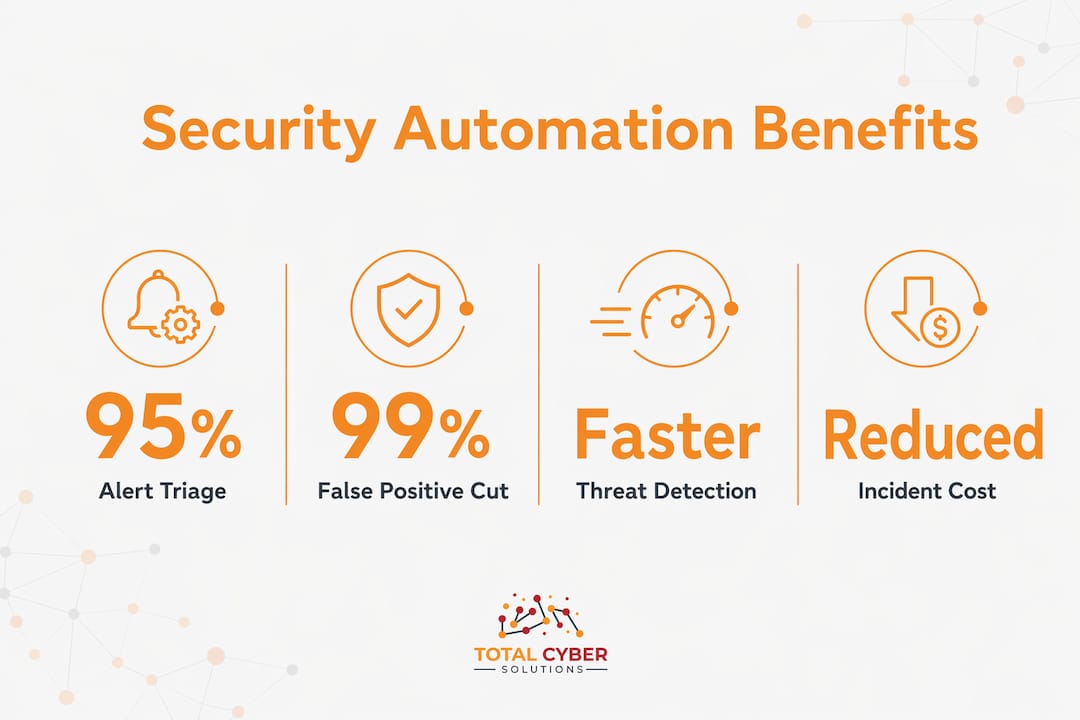
AI-powered platforms triage up to 95% of alerts in under 2 minutes and eliminate 99% of false positives before a human analyst ever sees them. That means your team spends time on real threats, not noise. Traditional SOAR tools, by comparison, handle only 30–40% of alerts through static playbooks. The gap is significant.

SOAR systems orchestrate responses across multiple security tools automatically. When a threat is detected, a playbook fires: the suspicious account gets locked, the affected endpoint gets isolated, and your team gets notified. All of that happens in seconds, not hours.
| Detection method | Alert coverage | Time to triage | False positive rate |
|---|---|---|---|
| Manual review | Limited by staff hours | Minutes to hours | High |
| Static SOAR playbooks | 30–40% of alerts | Minutes | Moderate |
| AI-powered automation | Up to 95% of alerts | Under 2 minutes | Near zero |
Pro Tip: If your current setup generates more alerts than your team can review, that is a sign you need AI-powered triage, not more staff. More analysts without better filtering just creates more noise.
What tasks do automated security tools actually perform?
Security automation handles the mechanical, repetitive work that would otherwise consume your team’s entire day. Think of it as a tireless sentry that never sleeps, never gets distracted, and never skips a step.
Here is what automated tools handle on a typical day:
- Vulnerability scanning: Automated scanners check your systems continuously for known weaknesses, flagging issues before attackers find them. You can learn more about this through vulnerability scanning in risk management.
- Patch management: Tools identify outdated software and push updates automatically, closing gaps without waiting for a scheduled maintenance window.
- Alert triage: Automation sorts incoming alerts by severity, filters out false positives, and routes genuine threats to the right analyst.
- Report generation: Compliance reports, audit logs, and security summaries get produced automatically, saving hours of manual documentation.
- Policy enforcement: Automated platforms apply access controls and configuration rules consistently across every user and device.
Automation shifts your security staff away from alert babysitting and toward strategic threat hunting and policy optimization. That is a better use of skilled people. Your analysts bring judgment, context, and creativity to complex problems. Automation handles the volume.
The risk to watch for is tool fatigue. Running multiple isolated automated platforms without a unified view creates data silos. Your team ends up managing tools instead of threats. Platforms that unify data across code, cloud, and runtime prevent this problem by giving analysts a single, connected picture.
Pro Tip: Start by automating your most predictable, repetitive tasks first. Alert triage and patch management are good entry points. Once those run smoothly, you can expand to more complex orchestration.
What are the key benefits of automated security solutions for your business?
The business case for security automation is concrete. Organizations using AI and automation identify and contain breaches 98 days faster and save $2.2 million per incident on average. The global average cost of a data breach sits at $4.4 million. That math makes the investment clear.
Here are the four benefits that matter most to small and mid-sized businesses:
- Lower breach costs. Faster detection and containment directly reduce the financial damage of an attack. Every hour you shave off response time limits what an attacker can do.
- Fewer human errors. Manual security assessments are inconsistent. Automation applies the same rules every time, on every system, without skipping steps or making tired mistakes.
- Easier compliance. Automated tools generate audit trails, enforce access policies, and flag configuration drift. This makes meeting compliance requirements far less painful and far more reliable.
- Better scalability. As your business grows, your attack surface grows with it. Automation scales with you without requiring a proportional increase in headcount.
The consistency point deserves more attention. A human analyst reviewing 500 alerts at the end of a long shift will miss things. An automated system reviewing those same 500 alerts at 2:00 AM on a Sunday performs identically to how it performs at 9:00 AM on a Monday. That reliability is the real value.
How do you implement security automation in your business?
Getting started with security automation does not require a complete overhaul of your existing setup. The most successful deployments follow a clear progression from simple to complex.
Start with predictable, low-complexity tasks before advancing to full orchestration. Patch management and vulnerability scanning are the right first moves. They deliver immediate value and carry low risk of disrupting operations.
Here is a practical framework for implementation:
- Audit your current tools first. Know what you already have before adding anything new. Many businesses run overlapping tools that create confusion rather than coverage.
- Choose unified platforms over point solutions. A platform that connects your endpoint security, cloud monitoring, and identity management gives you context. Isolated tools give you noise.
- Align automation with a zero-trust approach. Zero-trust security requires automation to manage the scale and speed of policy enforcement. You cannot enforce least-privilege access manually across hundreds of users and devices.
- Maintain your playbooks regularly. Automation playbooks drift over time as your IT environment changes. A playbook written for last year’s infrastructure can block legitimate traffic or miss new threats entirely. Review and update them quarterly.
- Measure what you automate. Track alert volume, false positive rates, and mean time to respond. If the numbers are not improving, the configuration needs adjustment.
The zero-trust alignment point is worth emphasizing. Zero-trust means no user or device is trusted by default, and every access request gets verified. Enforcing that at scale requires automation handling configuration, patching, and policy enforcement continuously. You cannot do it by hand.
For a deeper look at measuring the return on your security investments, the SMB security ROI guide from Totalcyber walks through the financial metrics that matter most.
Key Takeaways
Automated security tools reduce breach costs, eliminate alert fatigue, and free your team to focus on threats that require human judgment, making them a practical necessity for any growing SMB.
| Point | Details |
|---|---|
| Speed of detection | AI-powered tools triage up to 95% of alerts in under 2 minutes, far outpacing manual review. |
| Cost savings | Organizations using automation save an average of $2.2 million per breach through faster containment. |
| Human and automation balance | Automation handles repetitive tasks; human analysts focus on threat hunting and strategic decisions. |
| Playbook maintenance | Review automation rules quarterly to prevent drift that creates security gaps or blocks legitimate traffic. |
| Start small | Automate patch management and alert triage first before expanding to full security orchestration. |
Why I think most SMBs are thinking about automation the wrong way
The most common mistake I see small and mid-sized businesses make is treating automation as a replacement for security staff. It is not. It is a multiplier.
When a business buys an automated platform and then cuts its security budget, it removes the human judgment that makes automation effective. Playbooks need to be written by someone who understands the threat environment. Alerts that slip through need a trained analyst to investigate. Automation without oversight is just a system running on autopilot with no one checking the instruments.
The businesses that get this right treat automation as a shift in job descriptions, not a headcount reduction. Your security person stops spending eight hours a day sorting alerts and starts spending that time on threat hunting, policy review, and incident planning. That is a better outcome for everyone.
The other thing I would caution against is waiting until you feel “ready.” There is no perfect moment to start. Pick one task, automate it well, measure the result, and build from there. The businesses I have seen struggle with automation are the ones that tried to automate everything at once and ended up with a tangled mess of tools that nobody fully understood.
Start with what hurts most. For most SMBs, that is alert volume and patch management. Fix those first, and the rest becomes much easier.
— Alden
Totalcyber’s managed security services put automation to work for you
Cybersecurity automation delivers real results, but only when it is configured, maintained, and monitored correctly. That is exactly what Totalcyber does for small and mid-sized businesses every day.
Totalcyber is a veteran-owned cybersecurity and IT services company. The team combines managed cybersecurity services with hands-on expertise to build security programs that use automation where it helps most and human judgment where it matters most. From vulnerability assessments to compliance consulting, every service is built around protecting your business from real threats. Ready to see where your security stands? Request a consultation and get a clear picture of what your business needs to stay protected.
FAQ
What is the role of automated security tools in cybersecurity?
Automated security tools detect, investigate, and respond to threats with minimal human input. They handle repetitive tasks like vulnerability scanning, alert triage, and patch management so human analysts can focus on complex threats.
How do automated security tools work?
These tools use AI and predefined playbooks to monitor systems in real time, sort alerts by severity, and trigger responses automatically when a threat is detected. SOAR platforms are a common example of this approach.
What are the main benefits of security automation for small businesses?
The primary benefits are faster breach detection, lower incident costs, reduced human error, and easier compliance reporting. Organizations using automation save an average of $2.2 million per breach compared to those relying on manual processes.
How do I avoid tool fatigue when implementing security automation?
Choose platforms that unify data across your endpoints, cloud, and identity systems rather than running multiple isolated tools. A single connected view prevents data silos and reduces the management burden on your team.
Does security automation replace human security staff?
No. Automation handles high-volume, repetitive tasks and frees skilled analysts to focus on threat hunting, policy optimization, and incident response. The two work best together, not as substitutes for each other.
Recommended
- SMB IT Security ROI Measurement: A Practical Guide | Total Cyber Solutions
- The Role of Vulnerability Scanning in Cyber Risk Management | Total Cyber Solutions
- Why Compliance Reduces Cyber Risk for SMBs | Total Cyber Solutions
- Why It’s Time for Businesses to Adopt Managed IT Services | Total Cyber Solutions