
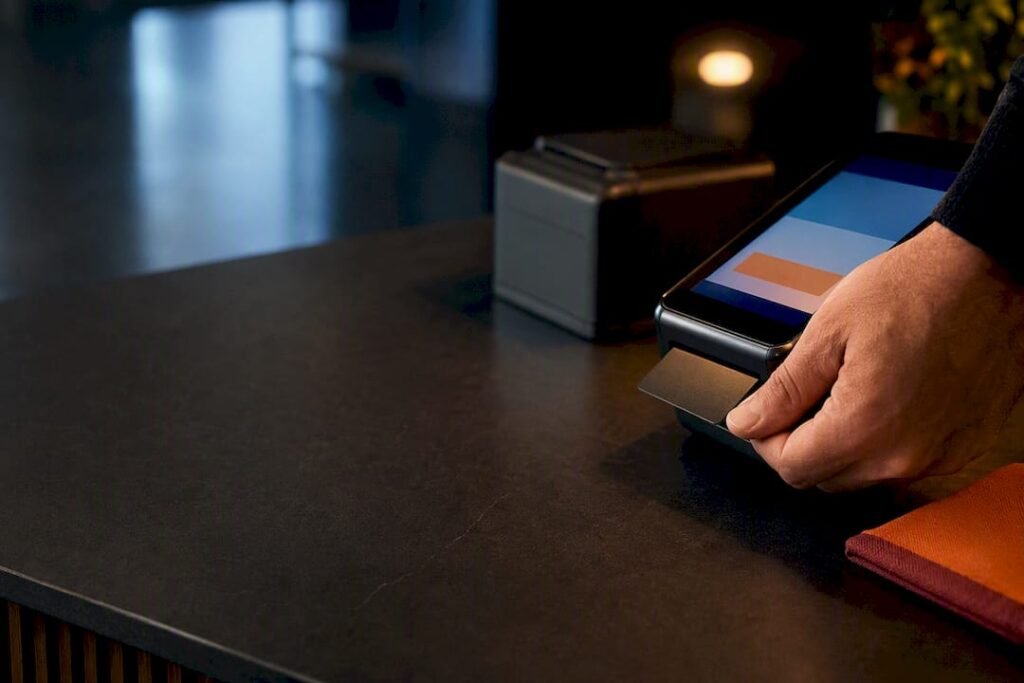
If you swipe, dip, tap, or key in a single credit or debit card, PCI DSS applies to you. Most U.S. small merchants typically fall into Merchant Level 4, where the fastest, cheapest route to compliance is to remove card data from your systems entirely and self-attest with the right SAQ. Your first move today: call your acquirer, confirm your merchant level, and map every place card data touches your business.
TL;DR:
- Most small merchants qualify for self-assessment under PCI DSS Level 4 by removing card data entirely and following the appropriate SAQ, often SAQ A.
- Embedding payment scripts or storing card data on local systems can push merchants into the more complex SAQ D, significantly increasing scope and costs.
- Recent PCI DSS updates require inventory and authorization of all scripts on payment pages, potentially disqualifying merchants from SAQ A if they embed iframes or inline scripts.
- The best way to reduce costs is scope reduction via tokenization and P2PE, which eliminate the need for extensive validation and lower breach risks.
- Outside help is most valuable for complex setups or when in-scope systems expand, with core steps including scoping, validation, and prioritized remediation.
Table of Contents
- Which Businesses Must Comply With PCI Rules, and Why
- What Merchant Level Am I, and Which SAQ Do I Need?
- What Do the 12 PCI DSS Requirements Actually Mean for You?
- How Do You Get Compliant, Step by Step?
- What Mistakes Cost Small Businesses the Most Money?
- When Should You Bring in Outside Help?
- Why Most Small-Business PCI Advice Gets the Order Wrong
- Get a PCI Readiness Assessment Built for Your Budget
- Where to Find the Official Forms and Lists
- Sources
Which Businesses Must Comply With PCI Rules, and Why
PCI DSS isn’t a federal law. It’s a contractual obligation baked into the merchant agreement you signed with your bank or payment processor, and it’s enforced by that acquirer and the card brands, not a government agency. That distinction matters for how you get help: there’s no PCI police force to call, but there is a very real business relationship that can penalize you for skipping it.
Compliance applies no matter your revenue. A coffee shop running 200 transactions a month and a regional retailer running 2 million both fall under PCI’s merchant guidance. What changes is the validation method, not whether the rules apply.
When something goes wrong, or when you just need clarity, three places actually have answers:
- Your acquiring bank or payment processor, who sets your merchant level and required SAQ
- The PCI Security Standards Council, which publishes the forms and guidance
- A compliance consultant, if your setup is complicated enough that self-service guidance leaves you guessing
What Merchant Level Am I, and Which SAQ Do I Need?
Merchant levels run 1 through 4, based on annual transaction volume per card brand, and they determine how strict your validation has to be. Level 1 merchants (typically 6 million transactions a year and up) need an outside auditor. Level 4, where most small businesses live, usually qualifies for self-assessment.
The Self-Assessment Questionnaire (SAQ) is where the real decisions happen. Here’s how common small-business setups typically map:
- Hosted checkout (customer redirected to a payment page you don’t touch): usually SAQ A, the lightest questionnaire
- Embedded checkout (payment fields loaded via iframe or JavaScript on your own page): increasingly requires SAQ A-EP, not plain SAQ A
- Modern point-of-sale terminals with point-to-point encryption: often SAQ B-IP
- Any business that stores, processes, or transmits card data on its own systems: SAQ D, the longest and most demanding form
Here’s the wrinkle catching small e-commerce merchants off guard right now. PCI DSS version 4.0.1 added script-integrity controls (requirements 6.4.3 and 11.6.1) that require you to inventory and authorize every script running on your payment page and detect tampering, plus stronger authentication rules including 12-character password minimums and broader MFA coverage. If your checkout embeds a payment iframe rather than redirecting to a hosted page, you may have quietly aged out of SAQ A eligibility without anyone telling you.
What Do the 12 PCI DSS Requirements Actually Mean for You?
The official requirements read like they were written for a bank’s IT department. Translated for a small business, they boil down to this:
- Firewalls — separate your payment systems from your general office network.
- No vendor defaults — change every default password on routers, terminals, and software.
- Protect stored card data — better yet, don’t store it at all.
- Encrypt data in transit — use TLS on any page that touches card numbers.
- Antivirus/anti-malware — keep it active on any device that processes payments.
- Secure systems and software — patch promptly, and inventory every script on your payment page.
- Restrict access by role — the person who runs payroll doesn’t need access to card data.
- Unique IDs for every user — no shared logins, ever.
- Restrict physical access — lock down servers, terminals, and backup drives.
- Log and monitor access — know who touched what, and when.
- Test security regularly — this is where quarterly ASV scans come in for internet-facing systems.
- Maintain a security policy — write it down, and train your staff on it annually.
Requirements 3, 6, and 9 are the ones most likely to push you into SAQ D: if you store card numbers in a spreadsheet, run a flat network with no segmentation, or keep physical terminals unsecured, you’ve expanded your scope dramatically.
The cheapest fix is almost always scope reduction. Tokenization and point-to-point encryption (P2PE) mean your systems never touch a raw card number. Hosted checkout does the same thing for e-commerce.
Pro Tip: Before you spend a dollar on remediation, ask your payment processor in writing whether their solution qualifies for SAQ A. That one email can save you months of unnecessary work.
How Do You Get Compliant, Step by Step?
Trying to fix everything at once is how small businesses burn budget on the wrong problems first. Sequence matters.
Days 0 to 30:
- Call your acquirer and confirm your merchant level and required SAQ.
- Inventory every vendor, app, and device that touches card data.
- Turn on multifactor authentication everywhere it’s available.
Days 30 to 90:
- Move toward hosted or tokenized payment flows if you’re not already there.
- Validate that your point-of-sale terminals are on the PCI SSC’s list of validated devices.
- Segment your payment network from general office Wi-Fi and workstations.
- Schedule quarterly scans with an Approved Scanning Vendor if any in-scope system is internet-facing.
Ongoing, annual and quarterly:
- Complete your SAQ and sign the Attestation of Compliance every year.
- Run ASV scans every quarter if your SAQ requires them.
- Retrain staff annually on card handling and phishing awareness.
Pro Tip: Put your SAQ renewal date and quarterly scan dates on a shared calendar with reminders 30 days out. Missed scans are one of the most common reasons acquirers flag a merchant.
What Mistakes Cost Small Businesses the Most Money?
The mistakes that inflate cost almost always trace back to scope. Storing card numbers “just in case,” running every device on one flat network, letting third-party scripts load unchecked on your checkout page, and reusing weak passwords across systems all pull you into a longer, pricier validation path.
Cost ranges vary a lot by SAQ type. Merchants who qualify for SAQ A typically pay a few hundred to low thousands of dollars a year in scanning and validation costs. SAQ B-IP and A-EP sit in the middle. SAQ D, where card data actually lives on your own systems, can run into many thousands annually once you factor in scans, documentation, and remediation work.
The bigger number isn’t the compliance cost. It’s the breach cost. PCI’s own small merchant materials cite that roughly 60% of breached small businesses close within six months of the incident, once you add forensic investigation fees, card reissuance costs, legal exposure, and acquirer fines on top of the reputational damage. Compliance is cheap insurance against a much bigger problem, and understanding common breach vectors like default credentials and unpatched software helps you see where the real risk sits.
When Should You Bring in Outside Help?
Self-assessment works fine for a straightforward hosted checkout with one location and no stored card data. It stops working once you have multiple locations, a custom e-commerce integration, any stored card data, or a real chance of landing in SAQ D.
A compliance engagement worth paying for should deliver:
- A scoping exercise that tells you exactly which SAQ you actually qualify for
- Coordination with an Approved Scanning Vendor for required quarterly scans
- A remediation plan with priorities, not just a list of gaps
- MFA rollout and network segmentation support
- Documentation and SAQ completion support you can hand to your acquirer
Pro Tip: If a consultant can’t tell you your SAQ type within the first conversation, they haven’t scoped your environment properly yet. Ask again before signing anything.
Why Most Small-Business PCI Advice Gets the Order Wrong
Most guides on this topic list all 12 requirements and let you figure out where to start. That’s backwards. The businesses that get compliant fastest and cheapest start with scope reduction, not control implementation. Confirm your SAQ, get your processor’s hosted or tokenized solution in writing, and then worry about firewalls and access logs, because a smaller scope means fewer controls to build in the first place.
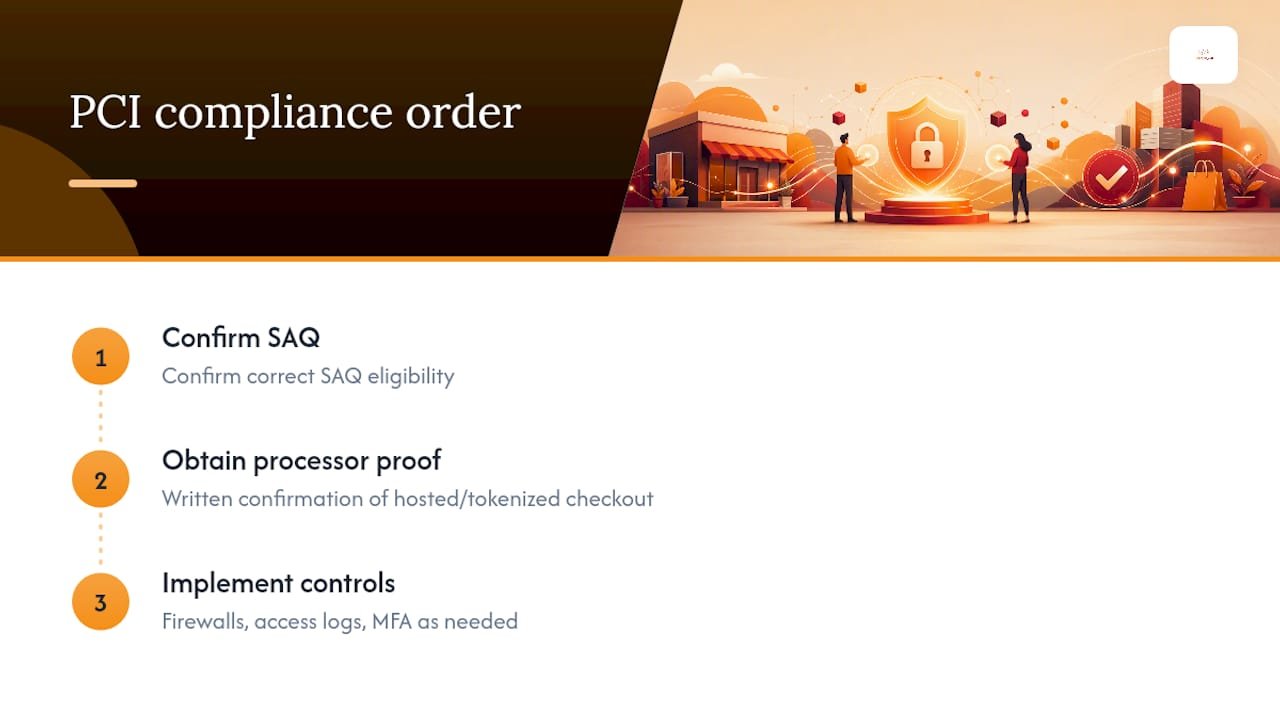
The other place conventional advice falls short is treating PCI DSS 4.0.1 as old news. It isn’t. The script-integrity requirements and expanded MFA rules quietly moved a lot of embedded-checkout merchants out of SAQ A eligibility, and plenty of business owners don’t know it happened until an acquirer flags them. If you haven’t asked your payment processor point-blank whether their checkout integration still qualifies for SAQ A under the current rules, that’s the first phone call to make, not the twelfth.
Compliance consulting has a reputation for being expensive and bureaucratic. For a small merchant with a clean, hosted checkout, it shouldn’t be either. The work is mostly confirmation and documentation. Save the bigger engagements for the businesses that actually store card data or run complex systems.
— Alden
Get a PCI Readiness Assessment Built for Your Budget
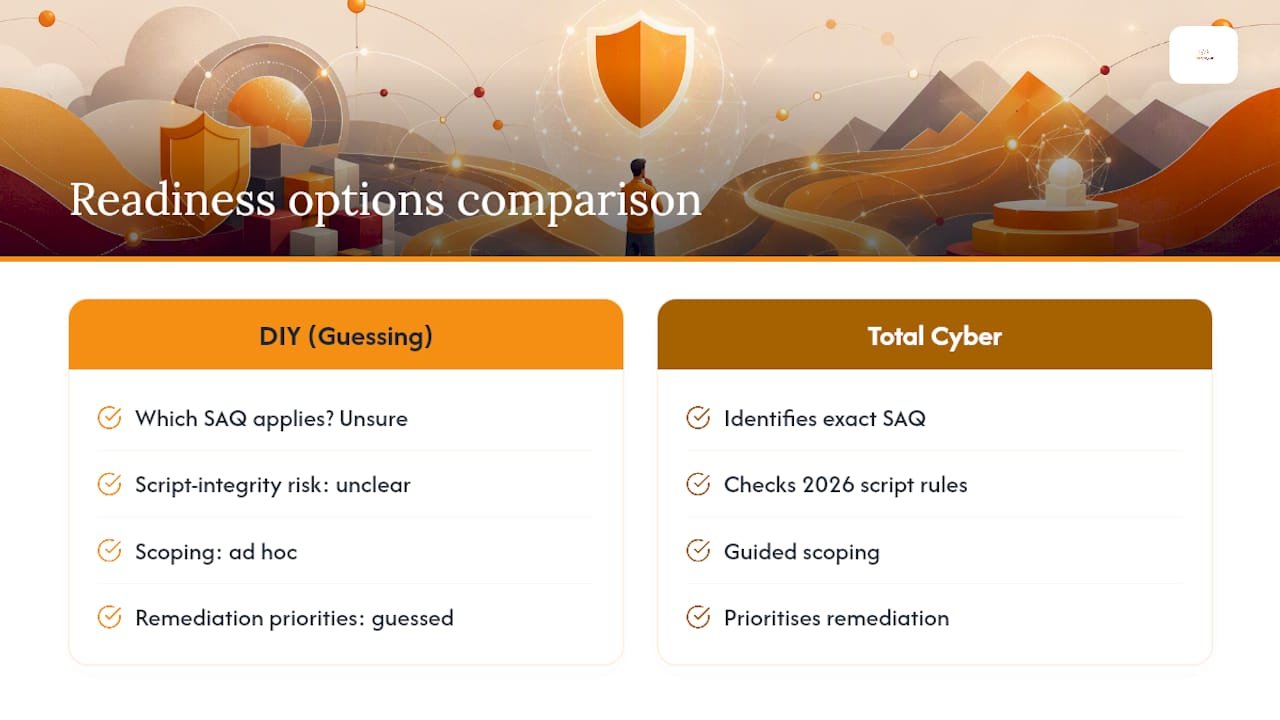
Total Cyber is the practical alternative to guessing your way through PCI paperwork alone. Where a generic checklist leaves you unsure which SAQ applies or whether your checkout still qualifies under the 2026 script-integrity rules, Total Cyber’s managed cybersecurity services walk you through scoping, remediation priorities, and documentation in a single engagement sized for a small business budget, not an enterprise one.

Total Cyber also offers compliance consulting covering PCI, HIPAA, NIST, and CMMC, along with staff security training to satisfy your annual awareness requirement. If your checkout uses embedded scripts, the security plugin guidance in this Shopify security roundup is worth a look before your next scan is due.
Ready to find out exactly which SAQ you need and what it will actually cost to close the gap? Request a readiness assessment and get a straight answer instead of a guess.
Where to Find the Official Forms and Lists
Get your SAQ forms and Attestation of Compliance directly from the PCI Security Standards Council. Cross-check validated devices and Approved Scanning Vendors before you schedule a scan.
Sources
- Merchants | PCI Security Standards Council
- Small Merchant guide to safe payments — PCI Security Standards Council (PDF)
- Approved Scanning Vendors — PCI Security Standards Council