

Passwordless authentication delivers a real security upgrade over passwords, mainly through phishing resistance built on public-key cryptography, and it tends to cut help-desk volume along the way. It also comes with trade-offs that deserve planning: legacy application compatibility, account recovery design, and change management. NIST SP 800-63B now treats passwords and SMS one-time codes as vulnerable to phishing, and the FIDO Passkey Index ties passkeys to measurable gains in sign-in success and help-desk load. We walk through both sides below, along with a general rollout path used by cybersecurity professionals.
TL;DR:
- Passkeys, based on FIDO2 and WebAuthn, generate cryptographic key pairs that remain on user devices, significantly reducing phishing risks.
- Organizations see high sign-in success rates and fewer help-desk tickets due to lower password reset and OTP failure occurrences.
- Compatibility issues with legacy applications often require deploying an SSO gateway, while recovery and revocation workflows must be carefully planned and tested.
- Authenticators’ security assurance depends on attestation policies and device management, with higher security for privileged accounts through enterprise attestation.
- Adoption barriers include user resistance, device sprawl, and risk management around syncable passkeys, requiring clear policies and phased rollouts.
Table of Contents
- How passwordless authentication works and the main method types
- Security and operational benefits organizations can expect
- Real drawbacks and risks to plan for
- Practical rollout: architecture, attestation, and recovery workflows
- Concise evaluation checklist for IT decision-makers
- Practical lessons and playbook from implementers
- Author perspective: priorities for security leaders
- Rolling out passwordless authentication touches identity systems, endpoint management, and compliance all at once, and getting any one of those wrong slows the whole project down. Managed cybersecurity services can cover exactly that intersection: identity lifecycle management, policy compliance support, and ongoing monitoring once the rollout is live, so your team is not carrying the entire migration alone.
- FAQ
- Sources
How passwordless authentication works and the main method types
Passwordless authentication replaces a memorized secret with something you have or something you are, verified through cryptography instead of a string that can be typed into a fake login page. The most widely adopted format today is the passkey, built on the FIDO2 and WebAuthn standards, which generates a public-private key pair for each account. The private key never leaves your device, so there is nothing for an attacker to steal from a server breach or a phishing site.
A few distinct approaches fall under the passwordless umbrella, and they are not interchangeable from a risk standpoint:
- Platform authenticators use the device’s built-in biometric sensor (fingerprint or face) or PIN to unlock a locally stored key.
- Roaming or hardware security keys (like a USB or NFC token) hold the private key on a separate physical device, useful for shared workstations or high-assurance roles.
- Syncable passkeys copy the private key across a user’s devices through a cloud sync fabric, trading some device independence for convenience.
- Device-bound passkeys stay locked to a single piece of hardware and never sync, which matters for strict governance requirements.
- Magic links and one-time passcodes remove the password but still rely on something transmitted over email or SMS, which keeps them closer to traditional MFA than to true phishing-resistant authentication.
The distinction between device-bound and syncable keys drives most governance decisions later in this article. NIST SP 800-63B maps authenticator types to assurance levels, and cryptographic authenticators like FIDO2 can satisfy AAL2 and, under stricter conditions, AAL3, while password and OTP-based methods cannot meet the phishing-resistance bar the standard now expects.
Security and operational benefits organizations can expect
The headline benefit is phishing resistance. Because a passkey is cryptographically bound to the specific website or application that issued it, a lookalike domain cannot trick a user’s device into handing over credentials, even if the user is fooled. NIST SP 800-63B and its supplement on syncable authenticators state plainly that passwords and SMS one-time codes do not meet phishing-resistant criteria, while FIDO2 and WebAuthn authenticators do when deployed according to the guidelines. CISA’s documentation of USDA’s FIDO rollout shows this is not theoretical: the agency enabled phishing-resistant sign-in across many applications and now points to FIDO as a core building block for Zero Trust architectures.
The FIDO Passkey Index reports a very high sign-in success rate for passkeys, significantly higher than traditional MFA, with organizations seeing substantial reductions in sign-in-related help-desk incidents. That second figure is often what gets a passwordless project funded, because password resets and OTP delivery failures are a steady drain on IT support time.
Beyond the headline numbers, the operational case has a few consistent threads:
- Fewer reset tickets: eliminating passwords removes the single most common reason users contact IT support.
- Faster sign-in flow: a biometric unlock or key tap takes less time than typing and retyping a complex password.
- Stronger Zero Trust alignment: phishing-resistant authentication is a prerequisite most Zero Trust frameworks assume rather than optional.
- Lower long-term overhead: fewer OTP delivery costs and fewer locked-account escalations add up over a fiscal year, even without a published industry-wide figure to cite.
None of this means passwordless is a drop-in replacement with no cost. It means the business case for making the move has gotten considerably easier to write, and our overview of common phishing techniques employees encounter is worth reviewing alongside this data to see exactly what kind of attack phishing-resistant authentication is designed to stop.
Real drawbacks and risks to plan for
Passwordless authentication is not a universal fix, and pretending otherwise sets a rollout up for frustration. A handful of risks show up in nearly every enterprise deployment we have seen discussed in standards guidance and vendor reporting.
Legacy applications are the most common blocker. Many internal tools, older SaaS platforms, and custom-built systems were never designed to accept a WebAuthn assertion, and rewriting them is not always realistic on a short timeline. Organizations typically bridge the gap with an SSO gateway or reverse proxy that handles the passwordless handshake and passes a session token to the legacy app, which lets a phased rollout proceed without touching every system on day one.
Account recovery is the second major risk area, and it gets more complicated with syncable passkeys. If a user loses every device tied to a cloud sync account, recovery depends on the identity provider’s fallback process, and a weak fallback (an easily guessed security question or an unverified phone reset) can undercut the phishing resistance you just built. The NIST supplement on syncable authenticators addresses this directly, allowing syncable passkeys to meet AAL2 only when organizations apply mitigations like encrypted key storage and defined attestation policies.
Other risks worth planning around:
- Sync fabric compromise: a provider’s cloud sync infrastructure becomes a single point of failure if it is ever breached.
- User adoption friction: staff accustomed to typing a password can resist a new enrollment flow, particularly on shared or kiosk-style devices where biometrics do not fit well.
- Revocation gaps: removing a compromised passkey from every synced device requires central identity management, not just a single deletion.
- Shadow enrollment: without governance, users may enroll personal devices outside IT’s visibility, which is the same kind of unmanaged sprawl we cover in our piece on shadow IT.
Pro Tip: Require enterprise attestation for privileged accounts so you can verify the specific authenticator model in use, then allow more permissive attestation for lower-risk staff accounts to keep enrollment friction low.
Practical rollout: architecture, attestation, and recovery workflows
A phased rollout limits exposure and gives IT teams real data before a company-wide mandate. Four steps form the backbone of most deployments we advise on:
- Pilot with a defined group. Start with IT staff or another technically comfortable group, measure enrollment completion and fallback usage, then expand to higher-risk populations like finance or executive accounts.
- Choose an identity provider integration pattern. Most organizations route passwordless sign-in through their existing SSO or identity provider rather than building authentication logic into each application separately.
- Set attestation policy by risk tier. Require enterprise attestation (verifying the exact authenticator hardware) for admin and privileged roles, and allow self-attestation for general staff to reduce onboarding friction.
- Build recovery and revocation workflows before launch, not after the first lost device ticket arrives.
Device and lifecycle management deserve their own attention beyond the pilot phase:
- Centralize enrollment and revocation through your identity provider so a lost device can be deauthorized in minutes, not days.
- Log fallback authentication events to spot users who are struggling with enrollment or quietly avoiding it.
- Pair passwordless rollout with least privilege access controls so a compromised authenticator cannot reach more than its role requires.
- Coordinate timing with any planned tenant migration work, since identity changes and authenticator changes touch the same infrastructure.
On the compliance side, NIST’s supplement on syncable authenticators confirms that syncable passkeys can satisfy AAL2 when organizations layer in the recommended attestation and lifecycle mitigations, which matters for any team mapping its rollout to a specific assurance requirement rather than choosing a method by default.
Concise evaluation checklist for IT decision-makers
Before committing budget and timeline, run through a short set of questions that map directly to how your organization is actually structured.
- Which accounts need AAL3-level assurance (admins, privileged roles) versus AAL2 for general staff?
- Do your legacy or custom applications support WebAuthn natively, or will they need a gateway?
- Is your account recovery process documented and tested, or does it rely on informal help-desk judgment calls?
- What is your realistic timeline for pilot, expansion, and full rollout given current endpoint management maturity?
| Decision factor | What to check | Why it matters |
|---|---|---|
| Assurance mapping | Role sensitivity against NIST AAL2/AAL3 | Determines device-bound versus syncable choice |
| Legacy compatibility | WebAuthn support across core applications | Flags where an SSO gateway is needed |
| Recovery maturity | Documented, tested fallback process | Prevents a recovery gap from undoing phishing resistance |
| Success metrics | Enrollment rate, help-desk volume, sign-in success | Confirms the rollout is delivering the expected gains |
Practical lessons and playbook from implementers
Passwordless deployment should be handled as a lifecycle project, not a single rollout event. A recommended playbook includes:
- Defining pilot success metrics up front, including enrollment completion, help desk ticket volume, and fallback authentication frequency.
- Setting clear rollback criteria so a struggling pilot group can revert without disrupting the rest of the organization.
- Testing recovery workflows before go-live, including lost-device and locked-account scenarios.
- Aligning identity lifecycle operations (enrollment, revocation, monitoring) with NIST and CISA guidance rather than a vendor’s default settings.
This work pairs naturally with managed cybersecurity services, policy compliance support, and workforce training, since a passwordless rollout touches identity, policy, and user behavior at the same time. If you are weighing a passwordless project and want a second set of eyes on the plan, start with our MSP form and we will walk through next steps, including a readiness assessment.
Author perspective: priorities for security leaders
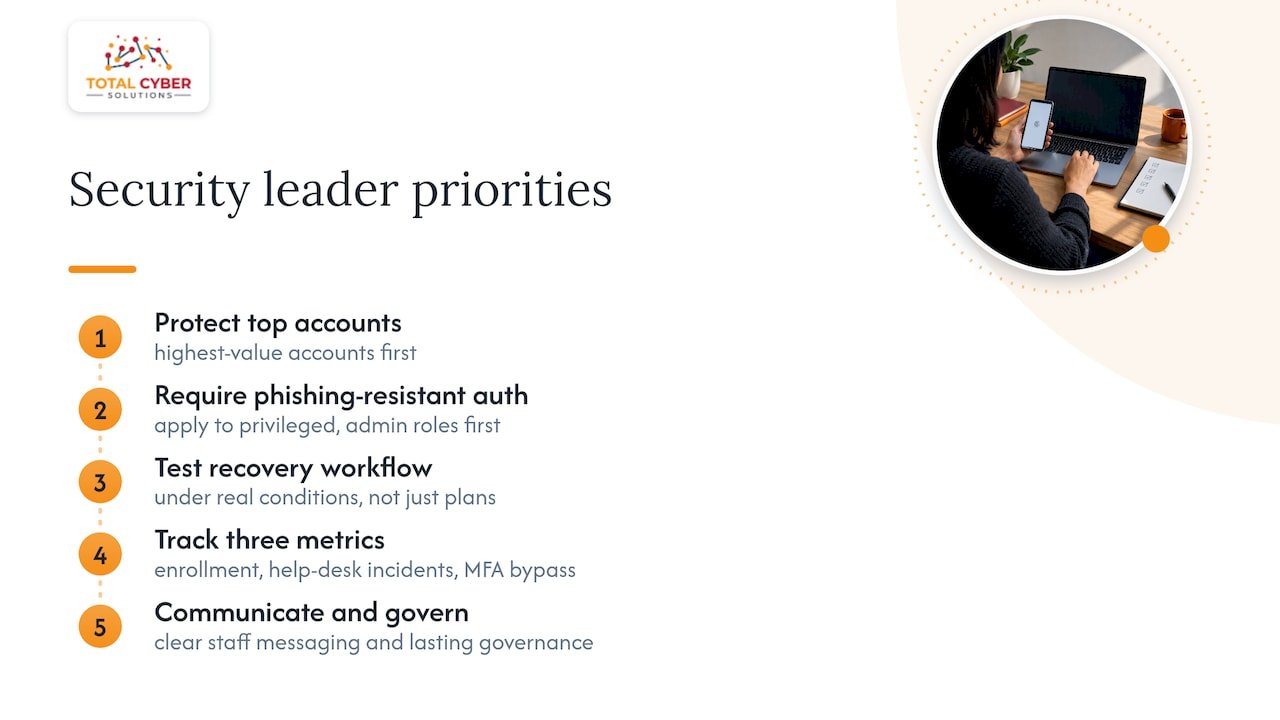
If you only move on one thing this quarter, protect your highest-value accounts first. Require phishing-resistant authentication for privileged and administrative roles before rolling anything out broadly, then expand once your recovery workflow has been tested under real conditions, not just in a planning document.
Track three numbers from day one: enrollment rate, help-desk incident volume, and any attempted MFA bypass. Those three tell you whether adoption is working and whether attackers are probing the gaps. None of this holds up without clear communication to staff and a governance structure that outlives the initial rollout team.
— Alden
Rolling out passwordless authentication touches identity systems, endpoint management, and compliance all at once, and getting any one of those wrong slows the whole project down. Managed cybersecurity services can cover exactly that intersection: identity lifecycle management, policy compliance support, and ongoing monitoring once the rollout is live, so your team is not carrying the entire migration alone.

If you are evaluating a passwordless rollout or want help mapping your current MFA setup against NIST assurance levels, reach out through our MSP form and we will set up a readiness conversation.
FAQ
What are the downsides of passwordless authentication?
The main downsides are legacy application compatibility gaps, more complex account recovery design, and user adoption friction during rollout. Syncable passkeys also introduce sync fabric risk that organizations need to manage through attestation and lifecycle controls described in the NIST supplement on syncable authenticators.
Is passwordless authentication safe?
Passwordless methods built on FIDO2 and WebAuthn are phishing-resistant because the private key never leaves the user’s device and is bound to the specific site requesting it. NIST SP 800-63B treats these cryptographic authenticators as meeting a higher assurance bar than passwords or SMS codes, provided they are deployed with proper attestation and recovery controls.
Why don’t older adults use password managers?
This is a broader digital literacy and trust question rather than one our sources address directly, and we would rather not guess at a reason without evidence. What we can say is that any authentication method, passwordless included, needs a simple enrollment flow and clear in-person or phone support to reach users who are less comfortable with new technology.
Is Microsoft Authenticator being phased out?
We don’t have a sourced, current answer to this specific product question, since authenticator app roadmaps change and vary by vendor announcement. If this affects your organization’s MFA planning, we would recommend confirming directly with your identity provider’s official documentation before making a migration decision.
Sources
For readers who want the underlying technical and policy detail behind this article, the sources below cover assurance levels, syncable authenticator guidance, and real-world deployment outcomes referenced throughout.
- Passkey Index (FIDO Alliance, October 2025)
- NIST SP 800-63B (Digital Identity Guidelines)
- Phishing-resistant MFA success story: USDA’s FIDO deployment (CISA)