

Microsoft Secure Score is a percentage that shows how closely your Microsoft 365 setup matches Microsoft’s recommended security settings. Higher means more recommended actions are done. That’s it. It is a configuration check, not a verdict on whether you’ll get hacked.
Still, it’s one of the most useful free dashboards you already own. You just need to read it the right way. This guide covers what the score measures, where to find it, what counts as a good number, and how to raise it without locking your own team out of their work.
TL;DR
- Secure Score is a percentage of Microsoft’s recommended security actions you’ve completed. It tracks identity, data, apps and devices, according to Microsoft’s documentation.
- It is not a measure of breach risk and not a guarantee of safety. It’s a health check on settings.
- You’ll find it in the Microsoft Defender portal, with a filterable list of recommended actions.
- Don’t chase 100%. Some controls are built for enterprise environments and can get in the way of small teams.
- Fix the high-impact gaps first (identity and multi-factor authentication), then review the rest by effort and daily impact.
Table of Contents
- What Microsoft Secure Score actually measures
- Where to find your score
- What is a good Microsoft Secure Score?
- How to read recommended actions
- Secure Score improvement: where to start
- A realistic example of the process
- Why your score didn’t change
- What about an M365 security baseline?
- Our perspective: use the score as a conversation, not a trophy
- When it makes sense to get help
- FAQ
- Sources
What Microsoft Secure Score actually measures
Picture a checklist with hundreds of settings. Each one is worth some points. Turn a setting on, earn the points. Your score is the share of available points you’ve earned.
Microsoft describes it as a measurement of an organization’s security posture, where a higher number means more recommended actions taken. The actions cover four areas: identity, data, apps and devices.
That’s the whole idea. Simple on purpose.
What it does not measure
This part matters. A score of 80% doesn’t mean you’re 80% safe. It doesn’t tell you how likely an attacker is to reach you, and it doesn’t see what happens outside your Microsoft 365 tenant. An employee can still click a bad link on a busy afternoon. A vendor can still get breached. The score only tells you whether the guardrails Microsoft recommends are in place.
Think of it like a home inspection checklist. Smoke detectors installed? Locks on the doors? Good. It can’t tell you whether someone left the back door open today.
Secure Score, Identity Secure Score and Cloud Secure Score
You’ll see a few similar names, and they aren’t the same thing.
- Microsoft Secure Score is the broad one in the Defender portal. It’s the one this article is about.
- Identity Secure Score is shown as a percentage too, and it indicates how aligned your identity setup is with Microsoft’s recommendations. Microsoft’s Entra documentation says each improvement action is tailored to your configuration.
- Cloud Secure Score belongs to Defender for Cloud and focuses on Azure and other cloud workloads. Microsoft’s Defender for Cloud page explains that it aggregates security findings into a single score for your cloud environment.
Most small businesses living mostly in Microsoft 365 should start with the first one. If you run servers or workloads in Azure, the cloud score matters too.
Where to find your score
It takes about a minute.
- Sign in to the Microsoft Defender portal with an admin account at security.microsoft.com.
- Open Secure Score from the menu.
- Look at your overall percentage, then scroll to the recommended actions.
Per Microsoft’s guidance on improvement actions, the portal lists recommended actions you can filter, search and group by impact, difficulty and complexity. That grouping is the feature you’ll use most.
Can’t see it? You probably need an admin role with the right permissions. Ask whoever manages your tenant. If nobody does, that’s worth knowing in itself.
What is a good Microsoft Secure Score?
People ask this first, and the honest answer is: it depends.
Microsoft doesn’t hand you one magic target. Your licenses decide which controls are even available to you. A business on a basic plan simply has fewer points on the table than one with premium security licensing. Your industry and your tolerance for friction matter too.
So instead of asking “is my number good?”, ask three better questions:
- Is it going up over time? A steady climb beats a one-time spike.
- Are the big identity gaps closed? Multi-factor authentication and sign-in protections carry more weight than almost anything else.
- Do I know why each open item is still open? A deliberate decision to skip a control is fine. Not knowing is the problem.
On community forums you’ll see administrators proudly sharing scores in the 80s after a month or so of work. That’s nice to see. But it’s one team’s environment, not a benchmark for yours.
The 100% trap
Here’s something many people miss. Microsoft’s list includes aggressive settings designed for enterprise-scale environments. Microsoft itself stresses that security has to be balanced with usability. Some actions may not fit a 25-person accounting firm.
Turn on every control just to hit 100%, and you might break a shared mailbox workflow, block a vendor’s file share, or send your staff into a daily wall of sign-in prompts. Then they find workarounds. And workarounds are where real risk lives.
So the goal is not a perfect number. The goal is a sensible number you can explain.
How to read recommended actions
Open the list and you’ll see a lot of items. Don’t panic. You aren’t meant to do them all this week.
Each action shows its point value, its user impact and its implementation difficulty. Use these as your triage filters.
| What you see | What it means for you | How to treat it |
|---|---|---|
| High points, low user impact | Big security gain, little disruption | Do first |
| High points, high user impact | Real gain, but staff will notice | Plan, communicate, then roll out |
| Low points, low effort | Quick wins, small gain | Batch them on a quiet afternoon |
| Low points, high effort | Rarely worth the time right now | Defer and revisit |
| Marked as not scored | No points, may still help | Review on its merits |
That last row is easy to overlook. Per Microsoft’s documentation, some actions are not scored, and you can still complete them to improve your security even though they won’t move your dashboard number.
Secure Score improvement: where to start
If you do nothing else, work through this order. It’s built around the way small-business accounts actually get compromised: a phished password, then a mailbox, then the damage.
1. Lock down identity
Start with multi-factor authentication for everyone, admins first. Then look at conditional access, which lets you set rules like “require a second step when someone signs in from somewhere unusual.” Microsoft’s own top tasks for small businesses are aimed at protecting against phishing and malware, and identity sits at the center of that.
The click happens. It always does. MFA is what stops one stolen password from becoming an open door.
2. Tighten email protection
Email is still where most of the trouble walks in: phishing links, malicious attachments, spoofed senders. Many of the recommended actions live here. If you want a hands-on walkthrough, our guide to hardening Microsoft 365 email security goes step by step.
3. Secure the devices
Laptops and phones are where your data actually sits during the workday. Make sure they’re enrolled, patched and protected. If you’re a small business using Defender for Business, this setup plan lays out a 30 to 90 day rollout.
4. Handle data and apps
Review which third-party apps can access company data, who can share files externally, and whether sensitive information has any labeling or protection at all. These actions often take more thought than clicks, so give them real time.
5. Then clean up the rest
Only now go through the lower-value items. Ask of each one: does this meaningfully change our risk, or does it only change the number? Security teams with more mature programs focus on high-impact gaps first rather than point-chasing small items.
A realistic example of the process
Say you run a 30-person professional services firm in Northern Virginia. You open the Defender portal and see a modest percentage and a long list.
You filter by high impact and low difficulty. Three items surface: MFA for all users, blocking legacy sign-in methods, and a stricter policy for admin accounts. You tell staff on Monday that a new sign-in prompt is coming Wednesday. You turn it on. Two people call the help desk. Both are fixed in minutes.
Next week, you tackle email protections. The week after, devices.
A month in, your score has moved, and more importantly, the three most common doors are locked. Nothing dramatic. No heroics. Just steady, boring progress. That’s what good security usually looks like.
Why your score didn’t change
You made the change. You refreshed the page. Nothing.
Breathe. Changes can take 24 to 48 hours to appear in the score, because the backend isn’t synced in real time. Come back in a couple of days before you assume something went wrong.
If it still hasn’t moved, check that the action applies to all users or devices and not just a pilot group. Partial rollouts often earn partial points.
What about an M365 security baseline?
A baseline is simply the minimum set of settings every account and device should meet. Secure Score is a handy way to build one, because Microsoft’s recommended actions double as a starting list. But a baseline should also reflect your own rules: the regulations you answer to, the data you hold, and how your team really works.
If you handle health records, defense-related data or criminal justice information, your baseline may need to line up with frameworks like HIPAA, NIST, CJIS or CMMC. Secure Score doesn’t map neatly to those on its own. It’s a useful input, not a compliance report. For a broader picture of where you stand, see what a security posture assessment covers. And if you want a short, prioritized starting list, our small business cybersecurity checklist is aligned to NIST and CIS.
Our perspective: use the score as a conversation, not a trophy
We see the same pattern with small and mid-sized businesses. Someone opens Secure Score, sees a number that feels low, and feels either embarrassed or overwhelmed. Others see a decent number and relax. Both reactions miss the point.
The score is a conversation starter. It tells you where Microsoft thinks the gaps are. It does not tell you which gaps matter most for a dental office, a defense subcontractor or a local government contractor. That takes context and experience.
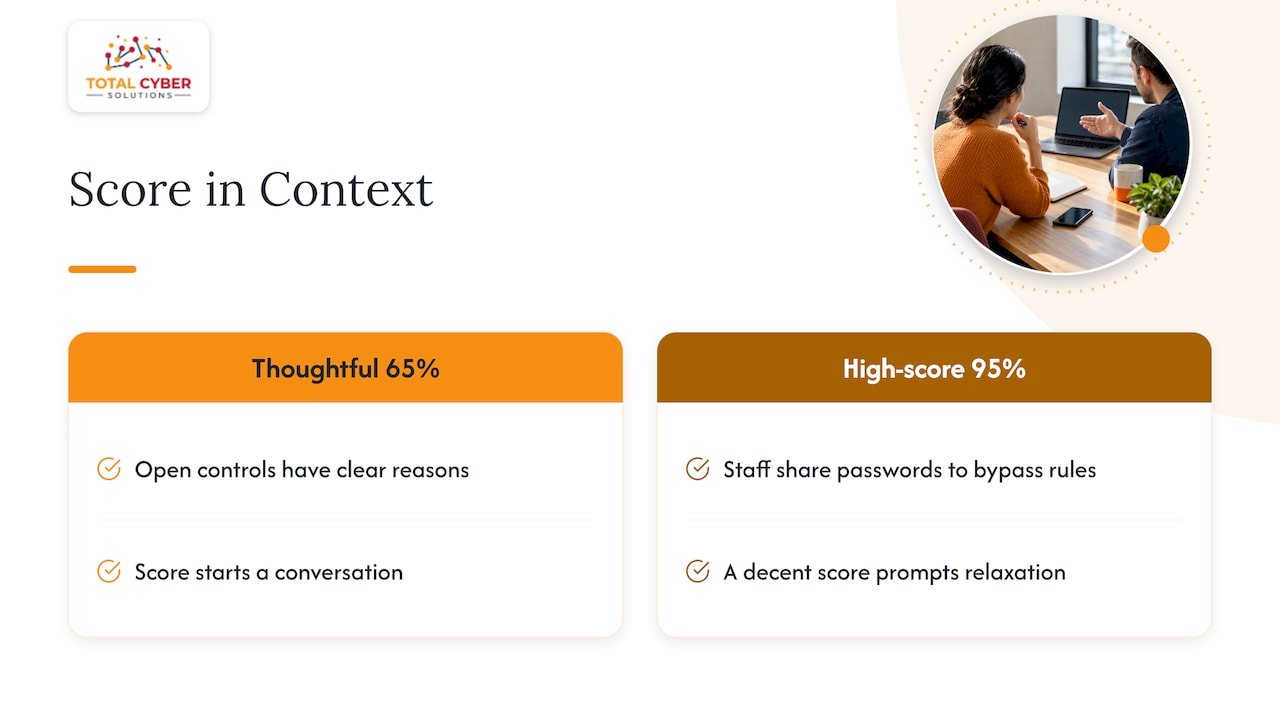
Our view is that security should be built into the way IT is run every day, by senior cybersecurity professionals and not only IT generalists. So when we look at a tenant’s score, we look at the story behind it: which controls are off on purpose, which were never reviewed, and which would break a real workflow. We’d rather see a team at a thoughtful 65% with clear reasons than a team at 95% that has staff sharing passwords to get around the rules.
Track the trend. Document your exceptions. Review it monthly. And when the list feels like too much, get another set of eyes on it.
— Alden
When it makes sense to get help
You can absolutely work through Secure Score yourself, especially the first round of quick wins. Help becomes worth it when:
- Nobody on your team owns Microsoft 365 security day to day.
- You have compliance obligations and need to connect settings to specific requirements.
- You’re afraid a change will break something and nobody has time to test.
- The score keeps drifting down because settings change and no one notices.
That last one is common. Configuration drift is quiet. A new admin, a new app, a rushed exception, and suddenly a control is off again.
This is where our managed cybersecurity services fit. We build security into managed IT, with U.S.-based 24/7 support and a team that can translate the dashboard into a plain-English plan for your business. Prefer to see the bigger picture first? Our overview of managed security services benefits for SMBs explains how the model works.
Ready to talk it through? Request a discovery call with our team and bring your current score. We’ll look at it with you.
FAQ
What should my Microsoft Secure Score be?
There’s no single right number. Your licenses, industry and risk tolerance all change what’s possible. Aim for a rising trend, closed identity gaps and a clear reason for every open item, rather than a specific percentage.
Where can I view my Microsoft Secure Score?
Sign in to the Microsoft Defender portal with an admin account and open Secure Score, at security.microsoft.com/securescore. You’ll see your percentage and a list of recommended actions you can filter by impact and difficulty.
Does a high Secure Score mean I can’t be hacked?
No. Microsoft describes the score as a measure of your posture, not of breach risk. It shows whether recommended settings are in place. Human error, vendor breaches and attacks outside Microsoft 365 aren’t captured.
How long does it take for improvements to show up?
Usually 24 to 48 hours, according to Microsoft’s guidance. If nothing changes after that, check whether the setting applies to all users or devices.
Should I complete every recommended action?
Not automatically. Some actions are aggressive and built for large enterprises, and they can disrupt a small team’s daily work. Review each one for its effect on your workflow, and skip or delay it on purpose when the tradeoff isn’t worth it.
Sources
- Microsoft Secure Score, Microsoft Defender XDR
- Assess your security posture through Microsoft Secure Score
- Microsoft Secure Score portal
- What is the Identity Secure Score?
- Cloud Secure Score in Microsoft Defender for Cloud
- New Security Analytics Service: Finding and Fixing Risk in Office 365