

Endpoint protection is the security layer that stops attackers at the door, blocks lateral movement across your network, and gives your team the visibility to investigate what slips through. According to Palo Alto Networks, 72% of cyber threats target endpoints as the initial entry point. That one number should shape every conversation you have about your defensive posture.
Here is the short version:
- Prevent known malware and exploits before execution (EPP/NGAV)
- Detect and investigate threats that bypass prevention using continuous telemetry (EDR)
- Correlate and automate response across identity, email, network, and cloud (XDR)
- Enforce posture as a Zero Trust access control signal, per NIST SP 800-207
- Contain incidents fast, cutting dwell time before attackers reach sensitive data
Totalcyber works with U.S. businesses at every stage of this, from pilot planning through full managed detection and response.
Table of Contents
- What actually counts as an endpoint today?
- Why endpoint protection matters more than ever
- Core components you need to understand
- How endpoint protection works in practice
- How modern EPP/EDR differs from traditional antivirus
- How to choose the right endpoint protection solution
- Deployment, integration, and what it actually costs
- When to run EDR in-house and when to use MDR
- What endpoint protection cannot do on its own
- What U.S. organizations should do next
- Key Takeaways
- The part most vendors skip telling you
- Totalcyber protects your endpoints so your team can focus on the work
- Useful sources and further reading
What actually counts as an endpoint today?
Most people picture a laptop. The real list is longer, and the gaps in that list are where attackers hide.

A modern endpoint inventory includes corporate laptops and desktops, on-premises servers, datacenter VMs, cloud-hosted virtual machines and containers, employee smartphones and tablets, BYOD personal devices, IoT sensors and operational technology, and network-attached printers or smart devices. Microsoft’s endpoint security guidance captures this breadth well.
Cloud workloads belong on that list too. Attackers pivot through compromised cloud credentials and API keys just as readily as through a phishing link on a laptop. A container running in AWS or Azure is an endpoint in every meaningful security sense. If your agent deployment skips it, you have a blind spot.
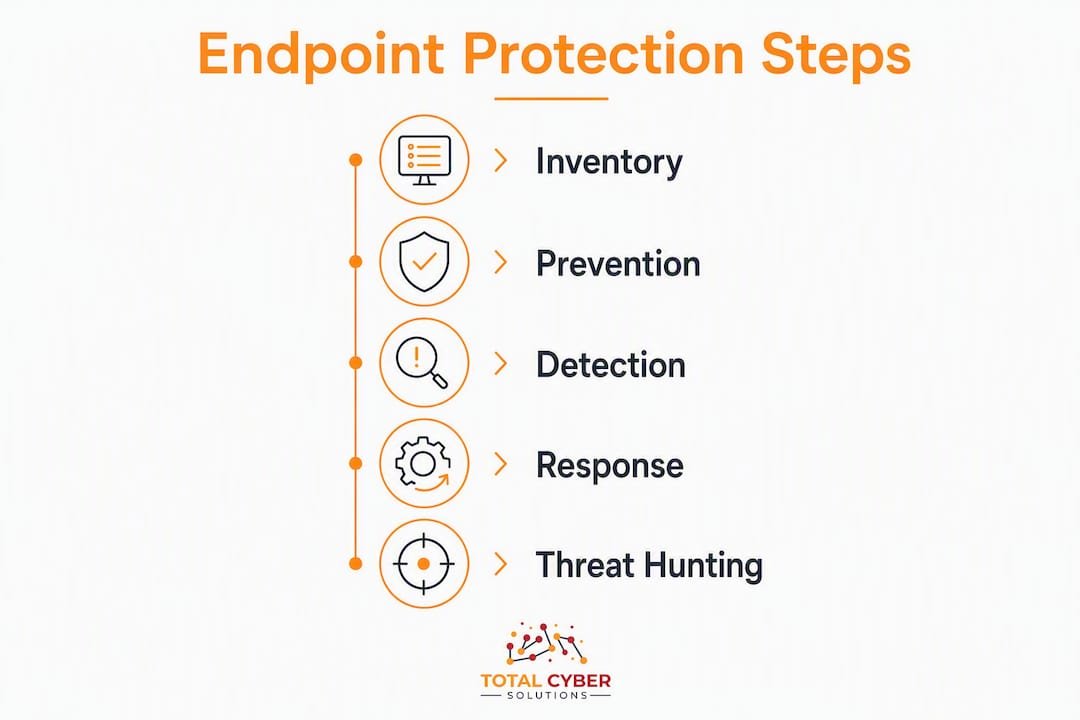
The practical implication: before you evaluate any product, build your inventory. A corporate laptop under your MDM is straightforward to enroll. A cloud workload needs a lightweight agent or agentless connector. An unmanaged IoT device on the factory floor may need network-level controls instead of an agent at all. Coverage decisions follow inventory, not the other way around.
Why endpoint protection matters more than ever
The old perimeter is gone. Remote and hybrid work has turned every device into a potential entry point, whether that device is sitting in a home office, a coffee shop, or a hotel lobby. There is no corporate firewall standing between it and the internet.
The attack pattern is predictable: phishing email lands, user clicks, malware executes on the endpoint, attacker steals credentials, then pivots laterally to servers and cloud resources. Each step happens faster than most manual security workflows can respond. Organizations that rely on manual detection and containment face significantly longer dwell times compared to those using automated response, a gap measured in hundreds of days according to IBM data cited by Fidelis Security.
72% of cyber threats use an endpoint as the initial entry point. Protecting this entry point is not optional — it is the foundation of every other defensive layer you build.
Remote work also turns a single compromised identity or device into a cross-environment exposure path. Zero Trust and conditional access help, but they depend on knowing the posture of the device requesting access. Endpoint protection is what supplies that signal. Without it, you are making access decisions blind.
Compliance adds another layer of urgency. HIPAA requires audit controls and access logging. NIST CSF maps directly to detection and response capabilities. If you are pursuing CMMC or operating under CJIS, telemetry retention and incident response timelines are not suggestions. They are requirements with teeth.

Core components you need to understand
Modern endpoint security is not a single product. It is a stack of complementary capabilities. Here is how they fit together:
EPP (Endpoint Protection Platform): Prevention-first. Blocks known malware, exploits, and malicious scripts before they execute. Think of it as the lock on the door.
NGAV (Next-Generation Antivirus): A subset of EPP that replaces signature-only scanning with machine learning and behavioral heuristics. It catches threats that have never been seen before, not just known malware families.
EDR (Endpoint Detection and Response): Continuous telemetry collection, behavioral anomaly detection, and response tooling. EPP acts like a lock; EDR acts like a security camera and motion sensor — always watching, recording, and alerting when something moves that should not.
XDR (Extended Detection and Response): Takes EDR telemetry and correlates it with signals from identity, email, network, and cloud. XDR maps multi-vector attack chains that single-tool EDRs miss because it sees the full kill chain, not just the endpoint slice.
Supporting capabilities that often get overlooked:
- Threat intelligence feeds: Real-time IOC and TTP data that keeps prevention and detection current
- Device and application control: Blocks unauthorized USB devices, restricts software installation
- On-device DLP: Prevents sensitive data from leaving the endpoint via removable media or unauthorized uploads
- Encryption enforcement: Verifies full-disk encryption before granting access to corporate resources
- Remote wipe and UEM integration: Allows IT to wipe or quarantine a lost or compromised device instantly
Telemetry expectations matter for procurement. A mature EDR should capture process-level data, parent-child process relationships, network connections, file metadata, registry changes, and user logon events. Retention of 30–90 days of raw telemetry is a baseline for meaningful forensic investigation. Some compliance frameworks require longer.
How endpoint protection works in practice
Prevention handles the bulk of the load. Signatures, heuristics, and ML models block the vast majority of commodity malware before it ever runs. That is the EPP layer doing its job quietly in the background.
What gets through prevention is where EDR earns its value. The agent watches process behavior continuously. When a process starts making unusual network connections, spawning unexpected child processes, or touching sensitive registry keys, the EDR flags it. Analysts can then pull the full process tree, examine file writes, and trace the attack back to its origin.
Automated response kicks in when speed matters most. A well-configured EDR can isolate a device from the network, kill a malicious process, and collect forensic artifacts, all without waiting for a human to approve each step. That speed is the difference between a contained incident and a full breach.
Threat hunting goes a layer deeper. Analysts replay stored telemetry, search for indicators of compromise that were not flagged at the time, and map findings to MITRE ATT&CK techniques. This retrospective analysis catches slow-moving threats that evade real-time detection. XDR extends this by correlating endpoint events with identity logs, email headers, and cloud API calls, giving analysts a complete picture of how an attacker moved through the environment.
How modern EPP/EDR differs from traditional antivirus
Legacy antivirus scanned files, matched signatures, and quarantined matches. That model worked when malware was mostly static executables distributed on floppy disks. It does not work against fileless attacks, living-off-the-land techniques, or adversaries who operate entirely in memory.
Here is the practical difference:
| Evaluation Dimension | Legacy Antivirus | Modern EPP/EDR/XDR |
|---|---|---|
| Primary focus | File scanning, signature matching | Behavior monitoring, telemetry, response |
| Core capabilities | Malware detection, quarantine | NGAV, EDR, threat hunting, automated containment |
| Deployment model | On-prem, agent-based | Cloud-native, hybrid, or on-prem |
| Integration | Minimal (standalone) | SIEM, identity, network, cloud telemetry |
| Managed options | Rare | MDR/MSSP widely available |
| Pricing shape | Per-seat, flat | Per-endpoint, tiered by feature set |
Enterprise solutions add management consoles, role-based access, SOC integration, compliance logging, and certifications like FedRAMP or FIPS 140-2. Consumer products lack the telemetry retention, API access, and policy granularity that security teams need. If you are evaluating a product that cannot export telemetry to your SIEM or does not retain process-level data, it is a consumer tool wearing enterprise clothes.
EPP, EDR, and XDR are complementary. Most mature organizations run EPP and EDR together, then add XDR as environment complexity grows. The stack grows with your risk profile, not the other way around.
How to choose the right endpoint protection solution
Start here: map your business risk to required capabilities, then match capabilities to your operational readiness and budget. Procurement without that sequence produces tools that sit unused.
Selection criteria checklist:
- OS coverage: Windows, macOS, Linux, and mobile (iOS/Android) all in scope?
- Cloud workload support: agents or agentless connectors for AWS, Azure, GCP?
- Telemetry depth: process-level data, network connections, file metadata captured?
- Automated containment: can the agent isolate a device without network connectivity?
- Telemetry retention: 30 days minimum; 90+ days for compliance-driven environments
- SIEM/XDR integration: native connectors or documented API for your stack?
- Identity integration: does posture feed into conditional access policies?
- Agent performance: CPU/memory overhead benchmarks on your endpoint hardware?
- UEM compatibility: works with Intune, Jamf, or your MDM of choice?
- Compliance certifications: FedRAMP, FIPS, SOC 2 where your regulatory obligations require them
Questions to ask vendors directly:
- How do you detect fileless attacks and living-off-the-land techniques?
- What telemetry is retained, in what format, and for how long?
- Can the agent isolate a device when it is off the corporate network?
- How does licensing scale when we add cloud workloads or containers?
- What is your MDR SLA for detection and containment?
Red flags to walk away from:
- Black-box detections with no forensic data to support them
- Mandatory agent reboots for every update
- Telemetry that stays siloed and cannot feed your SIEM
- No identity or cloud integrations in the roadmap
- Vague or missing incident response SLAs for managed offerings
Endpoint posture, including patch levels, encryption status, and agent enrollment, should feed directly into your conditional access policies. If a vendor cannot explain how their product integrates with your identity provider, that is a gap worth probing hard.
Deployment, integration, and what it actually costs
Deployment rarely goes from zero to full coverage in a week. A realistic phased approach looks like this:
- Inventory and pilot (weeks 1–4): Enumerate all endpoints, select a pilot group of 50–200 devices, deploy agents, and validate telemetry flow.
- Phased rollout (weeks 4–12): Expand coverage by OS, location, or business unit. Resolve compatibility issues before they become production problems.
- Tuning and baseline (weeks 8–16): Suppress false positives, build behavioral baselines, and configure automated response thresholds.
- SOC playbook integration (weeks 12–20): Map EDR alerts to SIEM use cases, build triage playbooks, and test containment runbooks.
- Continuous monitoring: Ongoing telemetry review, threat hunting cadence, and policy updates as the environment changes.
Integration checklist: SIEM/SOAR connector, identity/conditional access (Azure AD, Okta, Ping), cloud workload connectors, UEM (Intune, Jamf), on-device DLP, and backup/forensic pipeline for incident response.
| Phase | Typical Timeline | Primary Cost Driver |
|---|---|---|
| Inventory and pilot | 2–4 weeks | Scoping effort, agent licensing |
| Phased rollout | 4–10 weeks | Integration complexity, OS diversity |
| Tuning and baseline | 4–8 weeks | Analyst time, custom rule development |
| SOC playbook integration | 4–8 weeks | SOC staff hours or MDR retainer |
| Steady-state operations | Ongoing | MDR retainer or in-house analyst salaries |
The biggest hidden cost is not the license. It is the analyst time required to operationalize the telemetry. Organizations that underestimate this end up with an expensive tool generating noise rather than security value.
When to run EDR in-house and when to use MDR
The decision is simpler than most vendors make it sound. If you have a staffed SOC with incident response expertise and 24/7 coverage, running EDR in-house is viable. If you lack any of those three things, managed detection and response is the faster, more cost-effective path.
Decision checklist:
- Do you have dedicated security analysts, not IT generalists pulling double duty?
- Can you staff 24/7 alert triage without burning out your team?
- Do you have written incident response playbooks mapped to your EDR alerts?
- Can you meet a 4-hour containment SLA on your own?
If you answered “no” to two or more of those, MDR closes the gap faster than hiring.
Alert fatigue is a real operational problem when endpoint tools produce siloed telemetry. XDR-style integration and automation reduce the volume of manual triage by correlating related events into a single incident. That is not a nice feature. It is what keeps your analysts focused on real threats instead of chasing false positives.
Pro Tip: When scoping an MDR retainer, nail down three numbers before you sign: the days-to-detect SLA (how long before the MDR provider alerts you), the containment SLA (how fast they can isolate a device), and the forensic collection scope (what artifacts they preserve and for how long). Vague SLAs in these areas are a warning sign.
Totalcyber’s managed cybersecurity services cover MDR, SOC integration, and endpoint posture management for SMBs and mid-market organizations that need 24/7 coverage without building an in-house team.
What endpoint protection cannot do on its own
Endpoint protection lowers your risk significantly. It does not eliminate it. Knowing the gaps is as important as knowing the capabilities.
Limitations to plan around:
- Fileless and living-off-the-land attacks: Adversaries who abuse legitimate tools like PowerShell, WMI, or certutil leave minimal file artifacts. Behavioral detection helps, but tuning is required to avoid excessive false positives.
- Unmanaged BYOD and IoT blind spots: An agent cannot run on a device you do not control. Shadow IT and unmanaged devices create coverage gaps that endpoint tools alone cannot close.
- False positives and resource overhead: Aggressive behavioral detection generates noise. Poorly tuned policies consume CPU and memory, which creates friction with end users and pressure to loosen controls.
- Telemetry retention and privacy trade-offs: Storing 90 days of process-level telemetry has storage costs and privacy implications, especially for BYOD programs in states with strong privacy laws.
- Identity compromise: Endpoint protection does not stop an attacker who logs in with valid stolen credentials from a clean device. That requires phishing-resistant MFA and identity threat detection.
Complementary controls you need alongside endpoint protection:
- Phishing-resistant MFA (FIDO2 passkeys or hardware tokens) for every privileged account
- Continuous endpoint posture checks feeding conditional access
- Network microsegmentation to limit lateral movement even after an endpoint is compromised
- On-device DLP to prevent data exfiltration through removable media or cloud uploads
What U.S. organizations should do next
Endpoint protection is not a standalone product purchase. It is the detection and containment layer that makes Zero Trust and hybrid-work security real. Without it, your identity controls and network segmentation are making access decisions without the most important signal: what is actually happening on the device.
Three steps to take now:
- Inventory your endpoints and enroll agents. You cannot protect what you cannot see. Start with managed corporate devices, then build a plan for cloud workloads, mobile, and BYOD.
- Pilot EDR with telemetry retention and forensics enabled. Run a 30-day pilot on a representative sample. Validate that process-level data flows to your SIEM and that automated containment works as expected.
- Decide MDR vs. in-house based on your SOC capacity. Use the four-question checklist above. If you cannot staff 24/7 coverage with playbook-ready analysts, engage an MDR provider before you go to full production.
For U.S. organizations under HIPAA, NIST CSF, or CMMC, telemetry retention and incident response documentation are not optional. Build those requirements into your vendor evaluation and your deployment timeline from day one. Compliance-aligned security programs treat endpoint telemetry as audit evidence, not just operational data.
Key Takeaways
Endpoint protection is the foundation of modern defense: it prevents initial access, detects what slips through, and contains threats before they spread across your network.
| Point | Details |
|---|---|
| Many attacks start at endpoints | 72% of cyber threats begin at endpoints, according to Palo Alto Networks, making endpoint protection the highest-priority defensive investment for most organizations. |
| EPP, EDR, and XDR are layered | Run EPP for prevention, EDR for telemetry and response, and add XDR as environment complexity grows. |
| MDR vs. in-house depends on SOC capacity | If you lack 24/7 staffing and written playbooks, MDR closes the gap faster than hiring. |
| Posture feeds Zero Trust | Endpoint encryption, patch status, and agent enrollment should gate conditional access decisions. |
| Totalcyber provides managed endpoint coverage | Totalcyber offers MDR, SOC integration, and endpoint posture management for U.S. SMBs and mid-market organizations. |
The part most vendors skip telling you
There is a gap between what endpoint protection promises and what it actually delivers without the right operational model behind it. Most organizations buy EDR, deploy the agent, and assume they are covered. They are not.
EDR is a data collection engine. The value is in what you do with the data. Telemetry sitting in a console that nobody reviews is not security. It is expensive logging. The organizations that see real reductions in dwell time and breach impact are the ones that have built playbooks, mapped alerts to MITRE ATT&CK, and automated the first response actions so analysts are not manually clicking through every alert at 2 AM.
The other thing vendors underplay: endpoint protection is not the whole answer to identity-based attacks. A sophisticated adversary who steals valid credentials and logs in from a clean device may not trigger a single endpoint alert. That is why posture checks, phishing-resistant MFA, and identity threat detection have to run alongside your endpoint stack, not as afterthoughts.
For SMBs especially, the honest recommendation is to treat endpoint protection as a managed service problem, not a product problem. The product is the easy part. The hard part is the 24/7 human and automated response capability that makes the product worth its license cost.
Totalcyber protects your endpoints so your team can focus on the work
Most SMBs and mid-market organizations do not need a bigger security budget. They need the right coverage model. Totalcyber is a veteran-owned cybersecurity and managed IT firm that deploys, tunes, and monitors endpoint protection for U.S. businesses that cannot afford to staff a full SOC in-house.

The services most relevant to endpoint protection include managed cybersecurity and MDR, endpoint posture management, cloud security, compliance consulting for HIPAA, NIST, and CMMC, and vulnerability assessments that identify coverage gaps before attackers do. Totalcyber handles the deployment complexity, the alert triage, and the incident response, so your team is not pulled away from operations every time an alert fires.
Ready to see where your endpoint coverage stands? Contact Totalcyber through the managed services form and get a straightforward conversation about what your environment actually needs.
Useful sources and further reading
These are the primary sources used throughout this article. Each is worth bookmarking for your own research and vendor evaluations.
- Palo Alto Networks: What Is an Endpoint? — Source of the 72% initial-entry statistic and a solid overview of endpoint risk categories.
- LogMeIn: EDR vs. EPP vs. XDR — Clear explanation of how EPP, EDR, and XDR complement each other and where each fits in a mature stack.
- Microsoft Security: EDR vs. XDR — Explains cross-domain correlation and why XDR catches attack chains that endpoint-only EDR misses.
- Microsoft Security: What Is an Endpoint? — Useful reference for defining the full scope of modern endpoint inventory.
- Fidelis Security: Endpoint Security for Hybrid Work — Covers persistent agent requirements, dwell-time reduction evidence, and hybrid-work exposure paths.
- NHIMG: Remote Work Security and Identity/Endpoint Control Gaps — Explains how remote work turns endpoint posture into the primary access control signal.
- NIST SP 800-207: Zero Trust Architecture — The authoritative U.S. government framework for Zero Trust, including endpoint posture as a policy enforcement point.
- MITRE ATT&CK Framework — The standard taxonomy for mapping EDR telemetry to adversary techniques during threat hunting and retrospective analysis.
- Totalcyber: Managed Cybersecurity Services — Overview of Totalcyber’s MDR, SOC integration, and endpoint protection offerings for U.S. SMBs.
- Totalcyber: Remote Work Security Best Practices — Operational checklist for IT teams securing hybrid and remote endpoints.
Recommended
- Remote Work Security Best Practices: IT Leader Checklist | Total Cyber Solutions
- The Role of Automated Security Tools for SMBs | Total Cyber Solutions
- The Role of Continuous Security Monitoring for SMEs | Total Cyber Solutions
- The Role of Cybersecurity Policies for SMB Owners | Total Cyber Solutions