

A professional web app pentest checklist covers scope and signed rules of engagement, reconnaissance, automated scanning, authentication and session checks, authorization, injection testing, business logic, API security, configuration, cryptography, client-side risks, exploitation validation, and reporting. These categories map directly to the OWASP Web Security Testing Guide, the OWASP ASVS, and NIST SP 800-115. Used together, they provide a repeatable structure for real engagements, not just a list to check off.
TL;DR:
- Get signed rules of engagement defining hosts, roles, test windows, escalation contacts, data handling, and permitted exploit depth before active testing begins.
- Run DAST without authentication and with a low privilege account, then manually verify IDOR and object authorization flaws that scanners often miss.
- Use at least two accounts with different privileges to test horizontal access to another user’s records and vertical access to administrator actions.
- Map money and access workflows, then test refunds, repeated redemption requests, and out of order payments for abuse, race conditions, and missing idempotency checks.
- Use minimal proof of concept requests, prefer staging for risky tests, and document reproducible evidence, business impact, fixes, and a retest plan.
Table of Contents
- Scope, Rules of Engagement, and Test Planning
- Reconnaissance and Attack Surface Discovery
- Automated Scanning and Building a Reliable Baseline
- Authentication and Session Management Tests
- Authorization and Access Control Testing
- Input Validation and Injection Testing
- Business Logic Testing and Workflow Abuse
- API and Microservices Testing
- Configuration, Deployment, and Security Headers
- Cryptography and Transport Checks
- Client-Side and Third-Party Component Checks
- Exploitation, Validation, and Safe Proof-of-Concept Generation
- Reporting, Remediation Guidance, and Post-Test Activities
- Why This Checklist Reflects How We Approach Engagements
- A Practitioner’s Note on Checklists and Their Limits
- Get a Professional Pentest and Ongoing Security Support
- FAQ
- Sources
Scope, Rules of Engagement, and Test Planning
Before you touch a single endpoint, you need a signed agreement that spells out exactly what you can and cannot do. This isn’t paperwork for paperwork’s sake. It’s the line between a legitimate test and a felony.
Start by defining in-scope hosts, APIs, user roles, and anything explicitly excluded, like third-party SaaS providers you don’t control. Then get the rules of engagement (ROE) signed. NIST SP 800-115 provides templates and planning guidance for exactly this step, and the same source notes that ROE best practices should be settled before any active testing begins.
Your ROE should nail down:
- Authorized source IPs and test windows so defenders don’t mistake you for an actual attacker
- Escalation contacts for when you find something critical mid-test
- Acceptable exploit depth: how far you can push a proof-of-concept before stopping
- Data handling and cleanup obligations for anything you touch or copy
Map your success criteria to ASVS categories early. That way you’re prioritizing tests by business impact instead of working through a generic list. Cost and timeline mostly come down to scope size, how many authenticated user roles exist, and how many APIs you’re covering.
Reconnaissance and Attack Surface Discovery
Good recon builds the map you’ll use for the rest of the engagement. Skip it, and you’ll miss assets that never show up in the client’s own inventory.
- Passive discovery first. Pull certificate transparency logs, search engine caches, GitHub repos and commit history, sitemaps, robots.txt, and WHOIS records for anything that hints at forgotten subdomains or exposed infrastructure.
- Active enumeration next. Run subdomain enumeration, check DNS records for stale entries, brute-force directories, and scan for open ports and running services.
- Fingerprint the stack. Identify frameworks, web servers, CMS versions, and any API gateways in front of the application.
- Map authentication contexts. Note which endpoints require login, which roles exist, and where session boundaries sit.
- Build the asset inventory. This becomes your authorization reference for every test that follows, especially API and authorization work.
The deliverable here isn’t a scan output. It’s a structured list of hosts, endpoints, and roles that everyone on the engagement, and eventually the client, can trace back to.
Automated Scanning and Building a Reliable Baseline
Scanners are a starting point, not a verdict. Run them wrong and you’ll spend half your engagement chasing false positives instead of real findings.
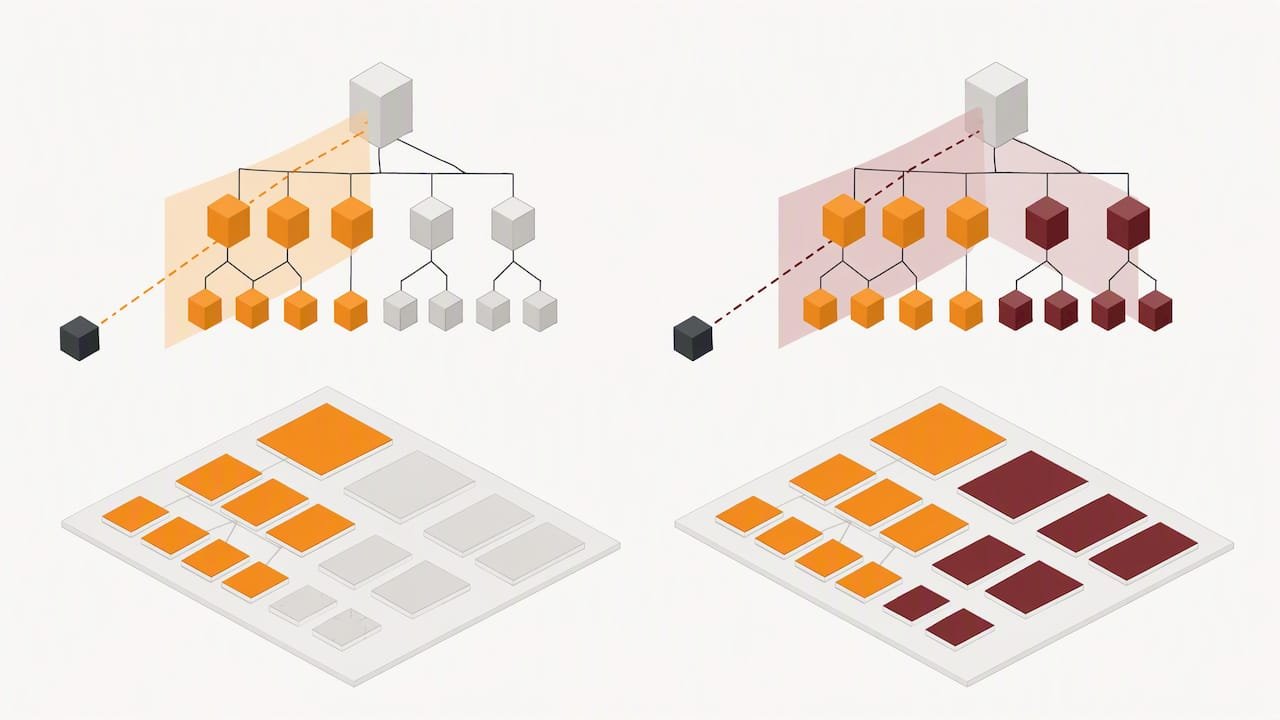
Use dynamic scanning (DAST) against the running app, static analysis (SAST) against source when available, and software composition analysis (SCA) to flag vulnerable dependencies. Authenticate your scans wherever possible. An unauthenticated DAST run barely scratches the surface of a modern app sitting behind a login wall.
- Configure API-aware scanning for anything beyond basic REST
- Write custom rules for app-specific logic the scanner can’t infer
- Deduplicate findings across tools before triage
- Align severity ratings with ASVS or OWASP Top 10 categories
- Flag anything that needs manual confirmation rather than trusting the scanner’s label
Here’s the limitation nobody’s scanner vendor advertises: authorization flaws and business logic abuse rarely show up in automated output. The CISA advisory on web application access control abuse makes this point directly: DAST tools frequently miss IDOR and broken object-level authorization issues without authenticated, API-aware configuration and manual verification layered on top.
Pro Tip: Run your scanner twice, once unauthenticated and once with a low-privilege session, then compare the diff. The gap tells you how much of the app was actually invisible the first time.
Authentication and Session Management Tests
Authentication is where production apps quietly fail in predictable ways. Work through login, registration, password reset, and account recovery logic as a single connected flow rather than isolated forms.
- Attempt MFA enrollment bypass and check whether recovery codes or backup flows weaken the protection
- Confirm credentials and reset tokens travel only over TLS, never in query strings or logs
- Inspect session cookies for Secure, HttpOnly, and SameSite attributes
- Check JWT expiry handling, revocation on logout, and whether old tokens still work after a password change
- Test for session fixation and whether concurrent sessions from different devices are handled safely
- Probe brute-force protections, account lockout thresholds, password policy enforcement, and any leftover default credentials
A lot of these checks take minutes individually. Together they expose whether the app’s identity layer was designed deliberately or bolted on.
Authorization and Access Control Testing
This is the category where most serious damage hides, and where checklists alone won’t save you. You need at least two accounts at different privilege levels to test it properly.
- Run horizontal privilege tests. Log in as User A, grab a resource ID, then try accessing it as User B with no relationship to that resource.
- Run vertical privilege tests. Attempt admin-only actions from a standard user session, including direct calls to admin endpoints that aren’t linked from the UI.
- Manipulate object references. Change IDs, tokens, or parameters in requests to see if the server actually checks ownership or just trusts the client.
- Audit OAuth/OIDC flows. Check token scopes, refresh token handling, and whether client secrets are exposed anywhere in front-end code or mobile binaries.
- Document escalation carefully. Build your proof-of-concept to demonstrate impact (viewing another user’s data, triggering an admin action) without making destructive changes to production records.
Experienced testers often note that authorization testing requires constructing custom requests scanners can’t infer on their own, which is exactly why this section leans manual.
Input Validation and Injection Testing
Injection flaws are old news in theory and still common in practice, mostly because context matters more than the payload itself.
- Test reflected, stored, and DOM-based XSS with payloads tuned to where they land: HTML body, JavaScript context, or an HTML attribute
- Run SQL and NoSQL injection tests across all input points, including blind and time-based variants where errors aren’t returned directly
- Check ORM query construction for injection through unexpected operators or nested objects
- Test SSRF by probing any feature that fetches a URL server-side: webhooks, image proxies, PDF generators
- Check for open redirects on any parameter that controls a destination URL
Keep your proof-of-concept payloads minimal. A 1=1 boolean check proves a SQL injection exists; dumping an entire user table does not, and it creates cleanup problems you don’t need.
Pro Tip: Keep a small library of context-specific XSS and SQLi payloads tagged by framework. Angular, React, and legacy PHP apps each break differently, and reusing the right payload saves time you’d otherwise spend guessing.
Business Logic Testing and Workflow Abuse
Scanners read HTTP responses. They don’t understand that a refund workflow should never let a user request more money back than they paid. That gap is exactly where business logic testing lives.
- Map every critical workflow: checkout, refunds, entitlement upgrades, invite systems, and anything involving money or access changes
- Identify the attacker’s goal for each flow before testing it: what would someone actually gain by abusing this?
- Test multi-step processes for race conditions, like submitting a redemption code twice simultaneously
- Check idempotency on payment and state-changing endpoints under repeated or out-of-order requests
These findings rarely fit a CVSS score cleanly, so document the attacker’s goal and the business impact in plain language when you write them up. That’s what gets them fixed.
API and Microservices Testing
Modern apps are mostly APIs wearing a UI. Treat the API layer as its own target, not an afterthought to the frontend.
- Inventory every endpoint, including undocumented or versioned routes you found during recon; pull the OpenAPI or Swagger spec if one exists, using a website audit checklist to cover all web assets comprehensively.
- Test for Broken Object Level Authorization (BOLA) by requesting resources that belong to other users through direct ID manipulation.
- Check for excessive data exposure, where an endpoint returns full objects when the client only needed a few fields.
- Test mass assignment and parameter pollution by sending extra or duplicated fields the API wasn’t expecting.
- Evaluate rate limiting, CORS policy, and authentication schemes across every version of the API still live in production.
- Give extra attention to GraphQL and WebSockets, where a single endpoint can expose dozens of operations and authorization gets easy to miss.
The OWASP API Security Project outlines these risk categories in detail, and BOLA in particular shows up again and again as the top finding across API-focused engagements.
Configuration, Deployment, and Security Headers
Misconfiguration findings are unglamorous and extremely common. They’re also some of the fastest wins for both attackers and testers.
- Verify Content-Security-Policy, HSTS, X-Frame-Options, and X-Content-Type-Options headers are present and correctly scoped
- Check for directory indexing, forgotten backup files, and exposed admin consoles
- Test which HTTP methods are allowed on sensitive endpoints, including PUT and DELETE where they shouldn’t be
- Review cloud storage buckets and CDN configurations for public exposure
- Check for subdomain takeover risk on any DNS record pointing to a deprovisioned service
Most of these checks take seconds per endpoint and belong in every engagement regardless of app complexity.
Cryptography and Transport Checks
Weak TLS configuration is still common enough to check on every engagement, even ones running on modern infrastructure.
- Confirm which TLS versions and cipher suites are supported, flagging anything below TLS 1.2
- Check certificate chain validity and OCSP stapling configuration
- Verify HSTS is enforced with an appropriate max-age
- Search for sensitive data transmitted or stored in plaintext, including API keys in logs
- Review token signing algorithms and key management practices for anything using weak or outdated primitives
A quick scan with a TLS testing tool catches most of this; manual review catches the token and key management issues scanners miss entirely.
Client-Side and Third-Party Component Checks
Modern front ends pull in dozens of dependencies you didn’t write and can’t fully control, which makes this its own risk category.
- Inventory front-end libraries and run SCA against client-side dependencies, not just server-side ones
- Check localStorage and sessionStorage for sensitive data that shouldn’t persist client-side
- Review service worker configuration for caching sensitive responses
- Evaluate CSP coverage against third-party scripts, since a loose policy defeats most of its protection
- Recommend locking dependency versions and monitoring security advisories as ongoing supply-chain hygiene
A single compromised third-party script can undo every other control on the page, so this section deserves more attention than it typically gets.
Exploitation, Validation, and Safe Proof-of-Concept Generation
Finding a flaw and proving it are different skills. The second one is where your credibility as a tester lives or dies.
- Build proof-of-concept exploits that demonstrate impact clearly without touching or destroying production data
- Prefer a staging or sandbox environment for anything beyond read-only verification
- When only production is available, limit yourself to non-destructive checks and get explicit sign-off for anything riskier
- Capture request and response pairs, screenshots, and logs as reproducible evidence, not just a written description
- Use the smallest payload that proves the point; a working exploit doesn’t need to be maximally destructive
Pro Tip: Save your proof-of-concept requests as a reusable collection in Postman or Burp Suite. When the client fixes the issue, you re-run the exact same request to confirm the retest instead of rebuilding it from memory.
NIST SP 800-115 frames this clearly: penetration testing verifies security controls that static reviews miss, which is exactly why pairing it with SAST and SCA earlier in the process gives you both breadth and depth.
Reporting, Remediation Guidance, and Post-Test Activities
A finding nobody can act on isn’t a finding, it’s a paragraph. Structure your report so a developer and an executive can both use it.
- Lead with an executive summary, then list findings prioritized by business impact, not just technical severity
- For each finding, include reproduction steps, impact, and concrete remediation guidance
- Map findings to OWASP Top 10 and ASVS categories so stakeholders can tie fixes to known control objectives
- Include a CVSS score or contextualized severity rating for prioritization
- Set a retest timeline and recommend compensating controls where an immediate fix isn’t realistic
- Follow a responsible disclosure process if the engagement surfaces a third-party or supply-chain vulnerability
| Report section | What it contains |
|---|---|
| Executive summary | Business risk in plain language, no jargon |
| Findings detail | Reproduction steps, affected endpoints, evidence |
| Severity mapping | CVSS score plus OWASP Top 10/ASVS category |
| Remediation plan | Specific fix guidance and compensating controls |
| Retest plan | Timeline and scope for validation after fixes |
The OWASP ASVS notes that mapping findings this way helps non-technical stakeholders prioritize fixes and ties remediation directly to known control objectives instead of abstract risk language.
Why This Checklist Reflects How We Approach Engagements
This checklist mirrors best practice standards followed on many penetration testing engagements: OWASP WSTG and ASVS mapping, signed ROE before any active testing, and manual validation layered on top of automated scanning. Such engagements often include remediation guidance and retesting as part of the delivery model rather than as an afterthought.
Ready to scope an engagement? Start a discovery call with our team.
A Practitioner’s Note on Checklists and Their Limits
A checklist keeps you from forgetting the basics, but it won’t find the business logic flaw that only exists in how this particular app handles refunds. Treat it as a floor, not a ceiling.
Keep your checklist alive. Update it as architectures shift toward APIs and single-page frameworks, and build a scenario repository your team reuses and expands engagement after engagement.
— Alden
Get a Professional Pentest and Ongoing Security Support
Running this checklist well takes time most internal teams don’t have between everything else on their plate. We bring senior-level penetration testers who work through scope, ROE, and every category above, then back it with remediation support and retesting once fixes land.

- Our penetration testing engagements cover the full scope outlined above, from recon through reporting
- Our managed cybersecurity services keep monitoring and detection running between engagements
- Our policy compliance support maps findings to the frameworks your business actually needs to meet
As a veteran-owned team, we build compliance readiness into every engagement rather than treating it as a bolt-on. Request a discovery call to talk through your scope.
FAQ
What is a pentesting checklist?
A pentesting checklist is a structured list of test categories, like reconnaissance, authentication, authorization, injection testing, and reporting, that guides a tester through a complete engagement. It’s typically mapped to standards such as the OWASP WSTG and ASVS so findings connect to known control objectives rather than an ad hoc list.
How to pen test a web app?
You start with a signed rules of engagement agreement, then move through reconnaissance, automated scanning, and manual testing of authentication, authorization, injection points, and business logic. NIST SP 800-115 provides planning and testing guidance for structuring this process, and the engagement typically closes with a report mapping findings to remediation steps and a retest plan.
Is pentesting illegal?
Pentesting is legal when performed under a signed authorization agreement that defines scope, timing, and acceptable methods; testing systems without that authorization is illegal in most jurisdictions. A signed ROE, built on guidance like NIST SP 800-115, is what separates an authorized test from unauthorized access.
What are the 7 phases of PTES?
The Penetration Testing Execution Standard outlines seven phases: pre-engagement interactions, intelligence gathering, threat modeling, vulnerability analysis, exploitation, post-exploitation, and reporting. These phases align closely with the checklist structure here, moving from scope and recon through exploitation validation to a final report.
Is a web app vulnerability assessment the same as a pentest?
No. A vulnerability assessment typically relies on automated scanning to identify and list potential weaknesses, while a pentest adds manual exploitation and validation to confirm real-world impact. Many engagements use a vulnerability assessment as an early step feeding into a fuller penetration test.
Sources
- OWASP Web Security Testing Guide (WSTG)
- Technical Guide to Information Security Testing and Assessment (NIST SP 800-115)
- Joint CSA-CISA advisory on preventing web application access control abuse
- OWASP Application Security Verification Standard (ASVS)