

Managed Detection and Response (MDR) is a 24/7 managed cybersecurity service that combines automated telemetry with human analysts to detect, investigate, contain, and help remediate active threats. According to Microsoft’s security explainer, MDR brings together continuous threat monitoring, threat hunting, validation, containment, remediation guidance, and post-incident reporting under one managed service. If you’re an IT leader asking “what is managed detection and response,” the short answer is this: it’s a security operations team you don’t have to hire, running around the clock on your behalf.
MDR applies directly when your organization faces any of these situations:
- Ransomware containment — stopping encryption before it spreads across your network
- Lateral movement detection — catching attackers who have already gotten in and are moving toward sensitive data
- Phishing and credential compromise — identifying stolen credentials being used in real time
- Cloud workload threats — monitoring activity across Microsoft 365, Azure, AWS, or hybrid environments
What you gain from day one:
- Immediate access to SOC-grade analyst expertise without building an internal team
- Faster threat containment, measured in a significantly shorter period
- Forensic incident reports that support compliance audits and executive briefings
Key Takeaways
MDR is the most practical path to 24/7 SOC-grade threat detection and response for organizations that can’t staff an internal security team around the clock.
| Point | Details |
|---|---|
| MDR defined | A 24/7 managed service combining automated telemetry and human analysts to detect, contain, and report on active threats. |
| Primary benefits | Reduces dwell time, provides continuous coverage, delivers compliance-ready forensic reports, and fills the security staffing gap. |
| MDR vs. alternatives | MDR provides active human-led response; EDR is a tool your team operates; MSSP typically monitors without hands-on containment. |
| Top selection priorities | Confirm telemetry coverage, written containment SLAs, compliance reporting outputs, and integration support before signing. |
| Total Cyber | Offers co-managed and fully managed MDR with compliance support and onboarding for SMBs across the United States. |
Table of Contents
- How does managed detection and response actually work?
- What technologies power an MDR service?
- What types of MDR services are available?
- How does MDR compare to EDR, MSSP, and an in-house SOC?
- What are the real benefits of managed detection and response?
- How do you evaluate and choose an MDR provider?
- What does MDR onboarding look like in practice?
- A real-world MDR scenario and your readiness checklist
- Why Total Cyber recommends MDR for most SMBs
- Total Cyber’s MDR services: where to start
- Sources
How does managed detection and response actually work?
The operational flow is more structured than most buyers expect. Here’s what happens from the moment a threat signal appears to the moment your team gets a report.
- Telemetry ingestion — The MDR provider pulls data from endpoints, network sensors, identity systems, and cloud workloads into a centralized analysis platform. TechTarget’s MDR definition notes that providers vary significantly on how many telemetry sources they cover and how far they go with hands-on remediation.
- Automated triage — Detection rules and machine-learning models flag anomalies and score alerts by severity. Low-confidence alerts get queued; high-confidence ones go straight to an analyst.
- Human validation — A SOC analyst reviews the flagged event, correlates it with threat intelligence, and determines whether it’s a genuine incident or a false positive. This step is what separates MDR from a plain alerting tool.
- Threat hunting — Analysts proactively search for indicators of compromise that automated rules haven’t caught yet, looking for attacker behaviors like unusual privilege escalation or abnormal data staging.
- Containment — When a real threat is confirmed, the provider takes action. This can mean isolating an endpoint, blocking a malicious IP, or disabling a compromised account. IBM’s MDR overview describes this stage as including both automated and analyst-driven containment actions.
- Remediation guidance and reporting — The provider delivers root-cause analysis, recommended remediation steps, and a written incident report. Your team handles patching, credential resets, and any recovery work the provider’s scope doesn’t cover.
Your team’s responsibilities during an incident typically include approving or executing endpoint isolation, resetting compromised credentials, applying patches, and communicating with affected business units. The cleaner those handoff points are defined in your contract, the faster the response goes.
Pro Tip: Before signing any MDR contract, get written clarity on containment authority. Specifically: can the provider isolate an endpoint without calling you first? The answer shapes your actual response time during a live ransomware event.
The automation handles volume; the analysts handle judgment. Both are necessary.
What technologies power an MDR service?
Palo Alto Networks describes MDR as layering human threat hunting and 24/7 monitoring on top of endpoint and network telemetry, specifically EDR, SIEM, and XDR technologies. Here’s what each component actually does:
- EDR (Endpoint Detection and Response) — Software agents installed on laptops, servers, and workstations that record process activity, file changes, and network connections. Kaseya’s MDR vs. EDR comparison explains that MDR typically wraps around EDR rather than replacing it: the EDR supplies the telemetry, and MDR supplies the analyst layer and response orchestration.
- SIEM (Security Information and Event Management) — Aggregates log data from across your environment and applies correlation rules to surface suspicious patterns. Some MDR providers bring their own SIEM; others integrate with yours.
- XDR (Extended Detection and Response) — Extends EDR correlation across endpoints, email, identity, network, and cloud into a unified detection platform. XDR-enabled MDR offerings tend to reduce alert fatigue because correlation happens before the analyst ever sees the event.
- Network sensors — Passive or inline devices that capture network traffic metadata, useful for detecting lateral movement and command-and-control communications that endpoint agents might miss.
- Identity telemetry — Logs from Active Directory, Azure AD, or Okta that reveal unusual login patterns, privilege escalation, or impossible-travel events.
- Cloud workload telemetry — API integrations with Microsoft 365, AWS CloudTrail, or Google Workspace that surface threats in cloud-native environments. See how cloud security fits into a broader security posture.
- Threat intelligence feeds — Continuously updated data on known malicious IPs, domains, file hashes, and attacker tactics. Analysts use these to contextualize alerts and prioritize response.
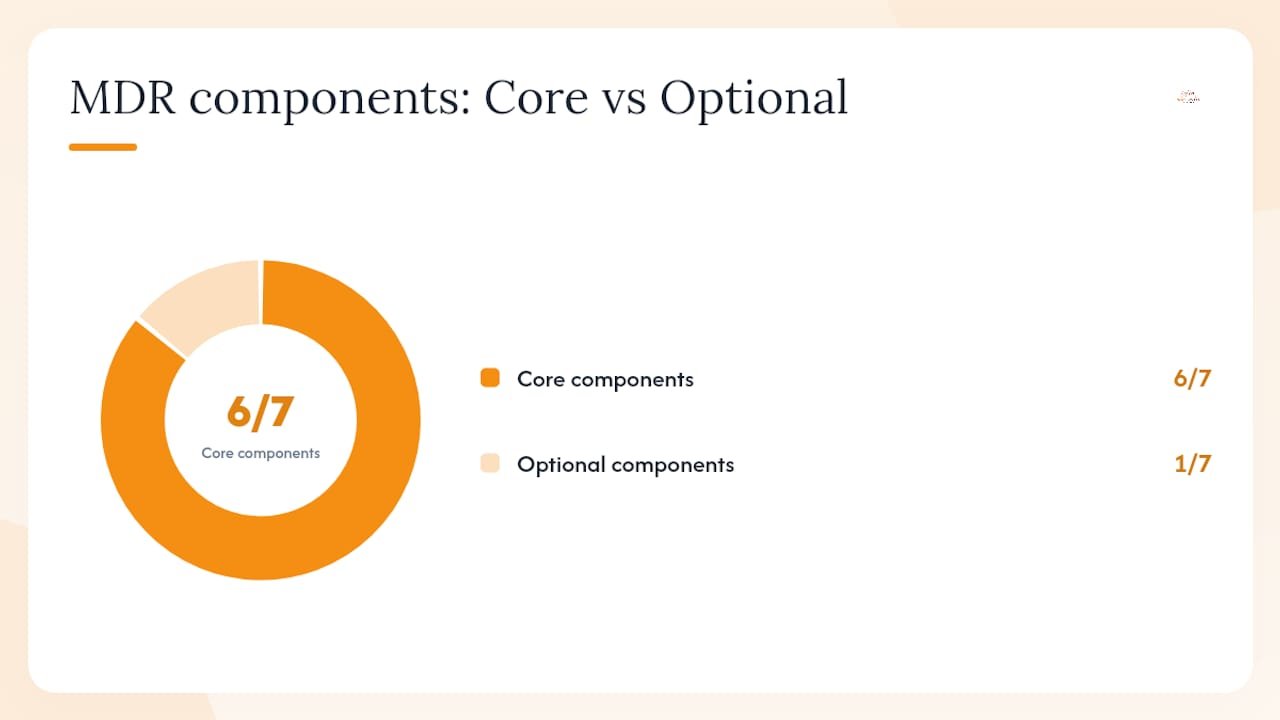
The table below maps each component to its role and whether it’s typically core or optional in an MDR engagement.
| Component | Primary role | Core or optional |
|---|---|---|
| EDR agents | Endpoint telemetry and process visibility | Core |
| SIEM | Log aggregation and correlation | Core (provider or customer-owned) |
| XDR platform | Cross-environment correlation | Core in modern offerings |
| Network sensors | Traffic analysis and lateral movement detection | Common add-on |
| Identity telemetry (AD/Azure AD) | Login anomaly and privilege monitoring | Core |
| Cloud workload telemetry | Cloud-native threat visibility | Core for cloud-heavy environments |
| Threat intelligence feeds | Alert contextualization and prioritization | Core |
Integration requirements matter before you sign. Your MDR provider needs API access to Microsoft 365 or Google Workspace, read access to your Active Directory or identity provider, and either their own EDR agents deployed on your endpoints or an integration with your existing endpoint protection tooling.
What types of MDR services are available?
Not every MDR offering covers the same ground. The delivery model you choose determines how much control you keep, how much coverage you get, and what your monthly cost looks like.
Endpoint-focused MDR centers on EDR telemetry from laptops, servers, and workstations. It’s the most common entry point and works well for organizations whose primary risk surface is user devices. The tradeoff is limited visibility into network traffic and cloud-native threats.
Network + endpoint MDR adds network sensors and traffic analysis alongside EDR. You get lateral movement detection and command-and-control visibility that endpoint-only coverage misses. The cost is higher, and sensor deployment adds onboarding time.
XDR-enabled MDR correlates signals across endpoints, identity, email, and cloud into a single detection platform before analysts review them. This model reduces false positives and gives analysts richer context per alert. It’s increasingly the standard for mid-market buyers.
Co-managed MDR is worth understanding separately. Kaseya’s MDR vs. MSSP analysis notes that security teams often adopt co-managed MDR as an intermediate step: the provider supplies analyst support while your internal team retains control over specific response actions and integrations. It’s a practical model for organizations that have some security staff but not enough for 24/7 coverage. You can explore how managed IT services pair with co-managed security at Total Cyber.
Fully managed MDR hands the entire detection-and-response workflow to the provider. Your team receives alerts, reports, and remediation guidance but doesn’t operate the SOC. This model suits SMBs and organizations without dedicated security staff.
A few additional dimensions to weigh:
- 24/7 vs. business-hours coverage — Ransomware doesn’t wait for Monday morning. True MDR means 24/7/365 analyst coverage, not just automated alerting after hours.
- Remote containment authority — Can the provider isolate an endpoint or block a domain without your approval? Providers vary widely here, and the answer directly affects your mean time to contain.
- Geographic and compliance constraints — Some regulated industries require data to stay within U.S. borders. Confirm where your telemetry is processed and stored.
How does MDR compare to EDR, MSSP, and an in-house SOC?
Buyers often conflate these four options. They’re related but solve different problems at different price points and staffing levels.
Kaseya’s MDR vs. MSSP breakdown makes a useful distinction: MDR describes what a service does (active detection, investigation, and containment), while MSSP describes a provider model (who delivers managed security). Many MSSPs now offer MDR capabilities, which is why the labels overlap in vendor marketing.
| Dimension | EDR | MDR | MSSP | In-house SOC |
|---|---|---|---|---|
| What it detects | Endpoint threats | Endpoints, network, identity, cloud | Varies by scope | Depends on tools deployed |
| Who operates it | Your team | Provider’s analyst team | Provider’s team | Your internal analysts |
| Response capability | Automated alerts; your team responds | Human-led containment and remediation guidance | Alert forwarding; limited active response | Full control; depends on staffing |
| 24/7 coverage | Tool runs 24/7; response depends on your staff | Yes, analyst-staffed | Varies; often monitoring only | Only if fully staffed |
| Typical outputs | Alerts and dashboards | Incident reports, root-cause analysis, remediation steps | Alerts, compliance reports | Custom; depends on team maturity |
When does each option make sense?
- EDR alone fits organizations with a capable internal security team that can triage and respond to alerts during business hours. It’s a tool, not a service.
- MDR fits organizations that need 24/7 coverage and active response but can’t staff a full SOC. N-able’s SMB MDR guide confirms MDR is frequently the right fit for SMBs that lack full-time threat-hunting staff.
- MSSP fits organizations that primarily need compliance reporting, device management, and alert monitoring without the active investigation and containment that MDR provides.
- In-house SOC fits large enterprises with the budget to hire, train, and retain a full analyst team. The talent shortage makes this harder every year, which is one reason MDR adoption is growing.
What are the real benefits of managed detection and response?
The business case for MDR comes down to a few concrete outcomes, not marketing language.
Reduced dwell time. The longer an attacker stays in your environment undetected, the more damage they cause. MDR’s continuous monitoring and human threat hunting compress the window between initial compromise and containment.

24/7 coverage without 24/7 headcount. Hiring enough analysts to staff a SOC around the clock is expensive and increasingly difficult given the cybersecurity talent shortage. MDR gives you that coverage at a fraction of the cost.
Access to specialized expertise. Your MDR provider’s analysts work threat investigations all day, every day. They’ve seen the attack patterns before. That experience doesn’t come with a single hire.
Compliance support. MDR’s forensic reports and audit trails support HIPAA, NIST, CJIS, and CMMC requirements. Documented incident response is often a compliance requirement, and MDR delivers it automatically.
Improved forensics. Post-incident reports with root-cause analysis help you understand not just what happened, but how to close the gap that let it happen.
Common use cases where MDR delivers measurable value:
- Ransomware — MDR detects encryption activity and lateral movement early, containing the blast radius before it reaches critical systems.
- Credential compromise — Stolen credentials used from an unusual location or at an unusual hour trigger identity telemetry alerts that analysts investigate in real time.
- Supply chain and phishing campaigns — MDR correlates email, endpoint, and network signals to catch multi-stage phishing attacks that bypass individual security tools.
- Insider threats — Behavioral analytics flag unusual data access or exfiltration patterns, even from legitimate accounts.
- Multi-cloud threat visibility — XDR-enabled MDR correlates threats across AWS, Azure, and Microsoft 365 in a single view.
How do you evaluate and choose an MDR provider?
This is where most buyers slow down, and rightly so. The wrong MDR contract leaves you paying for alert forwarding dressed up as incident response. Gartner’s analyst guidance on MDR highlights coverage scope, response actions, service maturity, and clear SLAs as the primary buyer decision factors.
Evaluation criteria to apply to every provider:
- Telemetry coverage — Does the provider ingest from your actual environment (endpoints, Microsoft 365, Active Directory, cloud workloads)? Ask for a specific list of supported integrations.
- Response scope — What actions can the provider take without your approval? Endpoint isolation? Account disabling? IP blocking? Get this in writing.
- SLAs — What are the committed mean time to detect (MTTD) and mean time to respond (MTTR)? What happens if they miss the SLA?
- Reporting and compliance outputs — Do incident reports map to your compliance framework (HIPAA, NIST, CMMC)? How often do you receive executive summaries?
- Integration and API support — Can the provider integrate with your existing ticketing system (ServiceNow, Jira), SIEM, or identity provider?
- Pricing model — Is pricing per endpoint, per user, or flat-rate? Are threat hunting and incident response included, or billed separately?
- Customer references — Ask for references from organizations in your industry and of similar size.
Questions to ask during demos or RFPs:
- What telemetry sources do you require at minimum?
- What is your average MTTD and MTTR, and how are those measured?
- What containment actions can your analysts take without customer approval?
- How do you handle false positives, and what is your current false-positive rate?
- What does a typical incident report look like? Can I see a sample?
- How do you handle after-hours escalations?
- What compliance frameworks do your reports support?
- How long does onboarding typically take?
- What happens if a critical incident occurs during onboarding?
- How do you handle data sovereignty and telemetry storage?
- What is your analyst-to-customer ratio?
- Do you offer co-managed options if we want to retain some response authority?
Red flags to watch for:
- No written SLAs for containment or detection response times
- Vague incident scope (“we investigate as needed” without defined parameters)
- Inability to integrate with your core identity or cloud platforms
- High false-positive rates with no stated improvement process
- Unclear data handling, retention, or sovereignty policies
Pro Tip: Ask every MDR candidate to walk you through a real incident they handled in the past 90 days, anonymized. How they tell that story reveals more about their analyst depth and process maturity than any marketing deck.
What does MDR onboarding look like in practice?
Onboarding is where MDR engagements succeed or stall. Most delays come from the customer side, not the provider’s. Knowing what to prepare cuts weeks off your timeline.
A typical onboarding runs four to eight weeks, depending on environment complexity and how quickly your team can provide access and asset information.
Phase-by-phase breakdown:
- Discovery and scoping (Week 1) — Provider reviews your environment, identifies telemetry sources, confirms integration requirements, and documents your critical assets and compliance obligations.
- Sensor and agent deployment (Weeks 1–2) — EDR agents roll out to endpoints; network sensors deploy where needed; API integrations connect to Microsoft 365, Active Directory, and cloud platforms.
- Telemetry tuning (Weeks 2–3) — Detection rules are calibrated to your environment to reduce false positives. This step is often underestimated; a poorly tuned environment generates noise that slows analyst response.
- Baseline period (Weeks 3–4) — The provider establishes normal behavior patterns for your users, systems, and network. Alerts during this period are reviewed but may not trigger full response workflows.
- Go-live monitoring (Week 4–5) — Full 24/7 analyst coverage begins. Escalation paths and runbooks are confirmed with your team.
- Tabletop exercise (Week 6–8) — A simulated incident tests the handoff between provider and customer. This is where you find out whether your escalation contacts, approval processes, and communication channels actually work.
Roles during onboarding:
- Provider SOC — Deploys and configures detection tooling, tunes rules, and staffs analyst coverage from go-live.
- Internal IT — Provides admin credentials, deploys agents, confirms asset inventory, and connects integrations.
- Executive sponsor — Approves containment authority scope and signs off on SLAs.
- Legal/compliance — Reviews data handling agreements and confirms regulatory requirements are addressed.
Onboarding checklist to reduce delays:
- Complete asset inventory (endpoints, servers, cloud workloads, identity systems)
- Admin credentials and privileged access ready for provider
- Ticketing system and SIEM integration contacts identified
- Escalation contacts documented with after-hours availability
- Compliance framework requirements communicated to provider
- Data handling and sovereignty requirements reviewed and approved
- Tabletop exercise scheduled before go-live
A real-world MDR scenario and your readiness checklist
Picture this: it’s 2:00 AM on a Tuesday. A user’s credentials were stolen in a phishing attack three days earlier. The attacker has been quietly mapping your network, staging data near an external transfer point. No one on your team is watching.
Your MDR provider’s analysts are. Identity telemetry flags an impossible-travel event: the compromised account logs in from two different states within 20 minutes. An analyst validates the alert, correlates it with unusual file access patterns from the same account, and confirms active data staging. Shortly after detection, the account is disabled, the affected endpoint is isolated, and your on-call contact receives a notification with full context.
By the time your team arrives in the morning, the provider has delivered a preliminary incident report with the attacker’s timeline, the affected systems, and a prioritized remediation list. Your team resets credentials, patches the phishing entry point, and runs a broader sweep for similar staging activity. The tabletop exercise you ran during onboarding made that handoff clean.
Readiness checklist before you start MDR onboarding:
- Asset inventory is current and includes all endpoints, servers, and cloud workloads
- Logging is enabled on Active Directory, Microsoft 365, and cloud platforms
- Identity hygiene is addressed: MFA is enforced, stale accounts are removed
- Backups are validated and stored offline or in an immutable location
- Tabletop exercise is scheduled within the first 60 days
- SLA terms are reviewed and approved by legal and executive leadership
- Escalation contacts are documented with 24/7 availability
Metrics to track once MDR is live:
- Time to detect (TTD) — How quickly does the provider identify a confirmed threat after initial compromise?
- Time to contain (TTC) — How long from detection to active containment action?
- Incidents escalated vs. resolved by provider — What percentage does the provider resolve autonomously versus requiring your team’s involvement?
Pro Tip: Review your MDR metrics quarterly with your provider. If your time-to-contain isn’t improving over the first six months, the detection rules likely need retuning or your escalation process has a bottleneck.
The cybersecurity talent shortage makes the case for MDR clearer every year. Organizations that wait until after a breach to evaluate managed detection services consistently face longer recovery times and higher remediation costs than those with 24/7 coverage already in place.
Why Total Cyber recommends MDR for most SMBs
From where we sit at Total Cyber, the MDR conversation comes up constantly with small and mid-sized businesses. And the pattern is consistent: organizations that have some security tools in place but no one watching them around the clock. An EDR product installed but not monitored. A SIEM generating alerts no one has time to review. Good intentions, real gaps.
MDR closes those gaps without requiring you to hire a full security team. For SMBs navigating HIPAA, NIST, CMMC, or CJIS requirements, the compliance reporting that comes with a well-run MDR engagement is an added benefit that often justifies the cost on its own. As a veteran-owned company focused on SMBs, Total Cyber approaches MDR as a practical tool, not a premium upsell. Co-managed options let your existing IT staff stay involved. Fully managed options work when you need us to carry the full load. Either way, the goal is the same: you know what’s happening in your environment, and someone with the right expertise is acting on it.
Total Cyber’s MDR services: where to start
Total Cyber offers managed cybersecurity services that include co-managed and fully managed MDR, compliance-aligned incident reporting, onboarding support, and tabletop exercises built for SMB environments. Whether you’re evaluating MDR for the first time or replacing a provider that’s been forwarding alerts without acting on them, the right starting point is a discovery conversation.

You don’t need to have everything figured out before that call. Bring your current tool inventory, your compliance requirements, and your biggest security concern. Total Cyber will map what you have, identify the gaps, and recommend a coverage model that fits your budget and your risk profile.
Request a discovery call and get a clear picture of what MDR looks like for your specific environment.
Sources
These sources informed the definitions, operational steps, and comparisons throughout this article. Each is worth reading if you want to go deeper on a specific aspect of MDR.