

There is no single federal number for how long a business must keep its logs. The answer depends on which rules apply to you: HIPAA, PCI DSS, the FTC Safeguards Rule, Virginia insurance law, or a contract with a government customer. This guide gives you the numbers we can source, shows where the rules go quiet, and walks you through a retention schedule you can adopt this month.
Busy week? Fair. Here is the short version.
TL;DR
- No universal rule exists. Retention is a business-risk decision tied to your regulators, your data and how long it takes you to notice an intrusion.
- Sourced benchmarks: 1 year for PCI DSS audit trails (3 months immediately available), 6 years for HIPAA security documentation, 5 years for Virginia insurance cybersecurity event records.
- Keep about 90 days of critical security logs hot and searchable. Archive the rest in cheaper storage.
- Write the schedule down, with the reason for each period. That document is your first line of defense in a review.
- Outsourcing storage does not outsource responsibility. You still have to produce the logs.
Table of Contents
- What log retention actually means
- The requirements you can point to
- When the rules are silent: use risk
- A practical schedule for a small business
- Seven steps to a log retention policy
- Where owners get tripped up
- Our perspective
- Getting help with retention and compliance
- FAQ
- Sources
What log retention actually means
Log retention is how long you keep records of what happened on your systems. Who signed in. What changed. Which firewall rule fired. Which file was opened at 2 a.m.
A retention policy turns that into a rule: this type of log, this long, stored here, deleted then. It also says who can touch the logs and who approves exceptions.
Two ideas get mixed up all the time:
- Retention is how long a record exists.
- Availability is how fast you can search it when something goes wrong.
Regulators and auditors care about both. A log that exists but takes three days to restore does not help much during an incident.
The requirements you can point to
Here is what the primary sources say. Notice how different the numbers are.
| Framework | Who it applies to | What it says |
|---|---|---|
| HIPAA Security Rule | Covered entities and business associates | Keep required security documentation for 6 years from creation or last effective date, whichever is later |
| PCI DSS | Anyone handling cardholder data | Keep audit trail history for at least 1 year, with 3 months immediately available for analysis |
| Virginia Insurance Data Security Act | Virginia insurance licensees | Maintain records of cybersecurity events for at least 5 years from the date of the event |
| FTC Safeguards Rule | Financial institutions under FTC jurisdiction | Logging and monitoring is required, scaled to your size and complexity, with no fixed number of days |
A few details matter more than the table suggests.
HIPAA: the six years apply to documentation
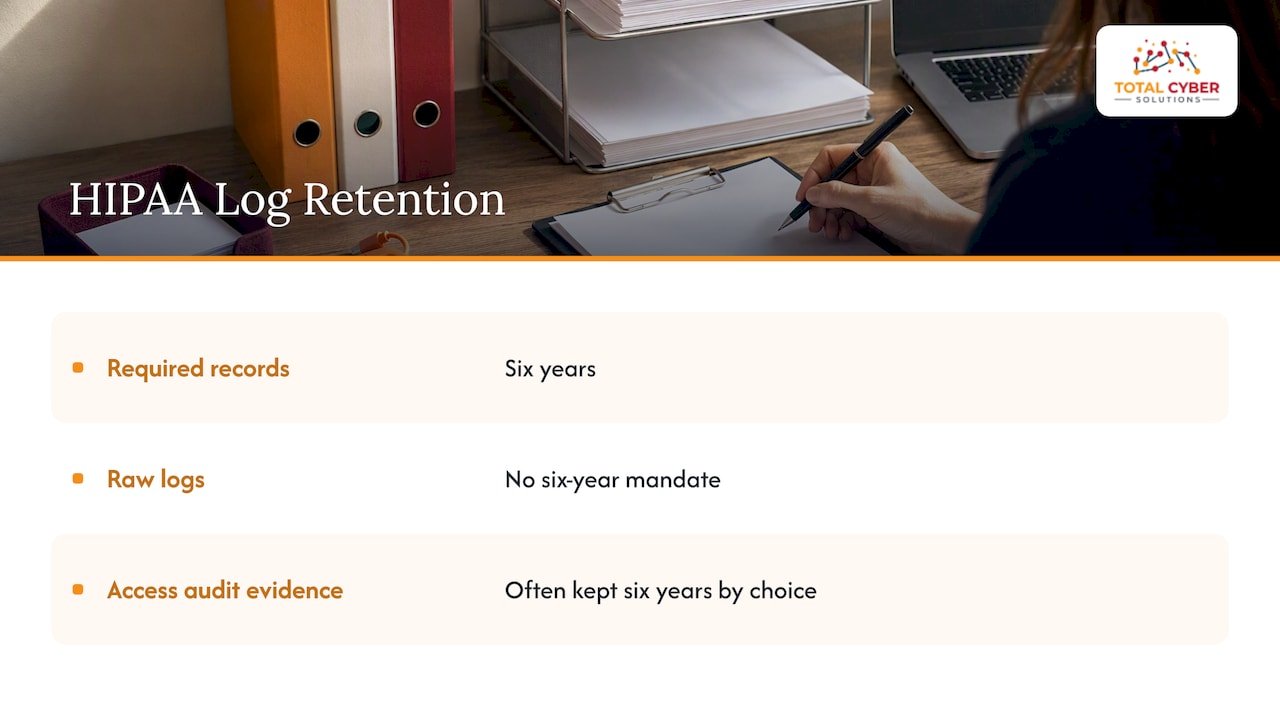
HIPAA’s six-year clock is about policies, procedures and the records of required activities, such as risk analyses and audit reports. The rule does not say “keep every raw log for six years.” Many healthcare organizations still choose to keep audit evidence of access to patient data for that long, because it is the simplest way to prove what happened. That is a sensible choice, not a quoted mandate.
If you handle patient data, two of our other guides help here: what OCR expects from a HIPAA risk assessment and the clauses every business associate agreement needs. For a wider view of how documentation duties reach into newer tools, this overview of HIPAA controls for AI chatbots covers the six-year retention period too.
PCI DSS: one year, three months hot
The PCI split is the cleanest model for any small business. Three months of history are ready to search. The full year is retrievable. Even if PCI does not apply to you, copying that structure is a smart default.
Virginia insurance licensees: five years, and not just logs
If you are a licensed insurance agency or carrier in Virginia, the five-year period covers records about cybersecurity events. That reaches past technical logs. It includes how the investigation ran, which information was affected and what you did to fix it. Start documenting the moment you suspect an event, not after the dust settles. Virginia also expects the licensee’s information security program to define a retention schedule for nonpublic information, so the schedule itself is a requirement.
The FTC Safeguards Rule: no number, but a duty to explain
The FTC points to logging and monitoring as one of the required safeguards and ties safeguards to your company’s size and complexity. It does not hand you a day count. So you pick one, and you write down why. Your documented risk assessment is what you show a reviewer.
CMMC, CJIS and contracts
If you serve defense or law enforcement customers, CMMC and CJIS both carry audit logging controls, and your contracts may add their own retention periods. Check the current version of the control set and your contract language before you fix a number. Contract terms often beat general guidance.
When the rules are silent: use risk
Most small businesses fall in the gaps. No HIPAA, no PCI, just a general duty to protect customer data and a cyber insurance application full of questions.
NIST’s guide to computer security log management treats retention as a decision you make, not a number you look up. Three inputs drive it:
- Your obligations. Laws, contracts and insurance terms.
- Data sensitivity. Customer records and payment data deserve longer memory than a guest Wi-Fi log.
- Detection time. If it typically takes you months to notice a compromise, a 30-day log is useless on the day you need it.
That third point gets missed. Attackers often sit quietly. If your logs roll off before you would ever spot them, you cannot answer the first question an investigator asks: when did this start?
A practical schedule for a small business
This is a starting template, not a legal requirement. Adjust it to the rules above.
| Log type | Hot (searchable) | Total retention | Why |
|---|---|---|---|
| Sign-ins and identity changes (Microsoft 365, Entra ID, VPN) | 90 days | 1 year or more | Most incidents start with a stolen login |
| Admin and privileged activity | 90 days | 1 year or more | Shows who changed what |
| Firewall and endpoint security alerts | 90 days | 1 year | Helps date an intrusion |
| Systems holding regulated data (patient, cardholder, insurance) | 90 days | Match the rule: 1, 5 or 6 years | Auditor evidence |
| Incident response records | Active case | 5 to 6 years if HIPAA or Virginia insurance rules apply | Investigation proof |
| Routine application and debug logs | 14 to 30 days | Same | Troubleshooting only |
The 90-day hot window is a practical convention that mirrors the PCI structure. Treat it as a good default, not a legal figure.
Keep it searchable, not just stored
Hoarding is not a strategy. Piles of logs with no consistent format are close to useless in an incident. NIST’s guidance stresses structured, usable log management over collecting everything. A policy of “everything forever” also burns storage budget and creates more data to protect and, in a breach, more data to disclose.
Also watch where the cold copies live. Deep archive storage can take hours to restore. That is fine for year-three history. It is not fine for last week’s sign-ins.
Seven steps to a log retention policy
- List your systems. Email and Microsoft 365, firewalls, servers, endpoints, line-of-business apps, cloud platforms.
- List your obligations. Regulators, customer contracts, your cyber insurance policy.
- Pick a period per log type. Use the longest applicable requirement, then ask whether risk calls for more.
- Define hot and archive tiers. Who can search, how fast, and where.
- Protect the logs. Restrict access, prevent edits, back them up.
- Set deletion rules. When the period ends, logs go. Keeping them longer than needed is its own liability.
- Write down why. One page. Dated. Reviewed at least once a year.
Our guides on cybersecurity policies for SMB owners and Microsoft Teams data retention go deeper on adjacent pieces. Cyber insurers also ask about logging more and more, so see our cybersecurity insurance requirements guide.
Where owners get tripped up
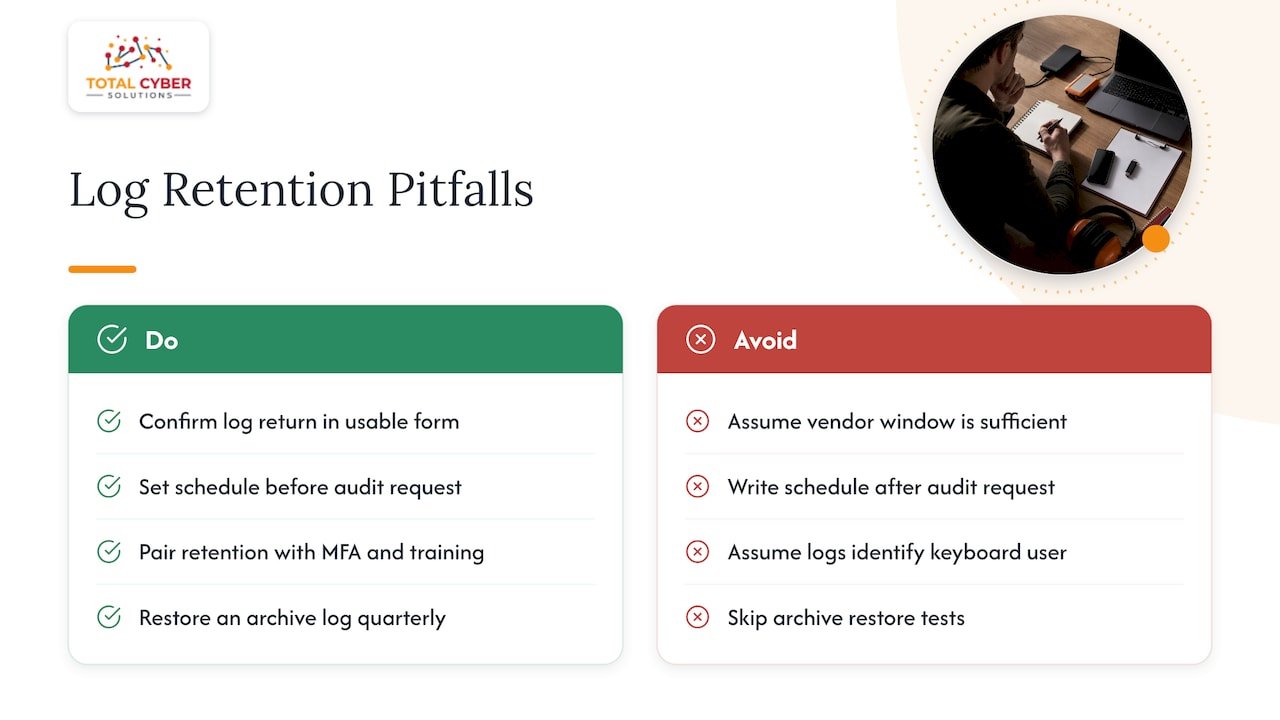
Assuming the vendor has it covered. Cloud platforms keep logs for their own default window, often shorter than you need. Virginia’s own event log management standard says the record copy of event logs stays with the originating agency. That standard governs state agencies, not private firms, but the principle carries over: you are the custodian of your security data. If an IT provider holds your logs, make sure your contract says you can get them back, in a usable form, on request.
Deciding at audit time. Auditors ask for the schedule, not just the logs. If you build it after the request lands, you are writing it under pressure.
Forgetting the people side. Logs show what an account did. They do not show who was sitting at the keyboard. Pair retention with multifactor authentication and training so the record means something.
Never testing a restore. Once a quarter, pull a log from the archive tier. If you cannot read it, you do not have it.
Our perspective
We see the same pattern with small and mid-sized businesses. The logs exist. Nobody owns them. Microsoft 365 holds one window, the firewall holds another, the endpoint tool holds a third, and no one has ever lined them up against what the business is required to keep.
We think retention should be built into managed security, not bolted on after an audit request. That is how our services are designed: senior security people, not IT generalists alone, reviewing what gets collected, where it lives and how fast you can reach it. We would rather help you adopt a short, defensible schedule than a long one nobody follows.
One firm view: write down the reasoning. A retention period you can explain beats a longer one you cannot.
— Alden
Getting help with retention and compliance
If this feels like one more job on a full plate, that is normal. Our Policy Compliance service helps you map frameworks like HIPAA, NIST, CJIS and CMMC to what you actually keep. Our Managed Cybersecurity Services cover security monitoring and incident response, with U.S.-based 24/7 support. If your logs live in Microsoft’s cloud, our Cloud Services team can look at that too.
Not sure where you stand? Request a discovery call and we will go through your systems and obligations with you.
FAQ
How long should logs be retained?
It depends on the rules that apply to you. PCI DSS asks for one year of audit trail history, HIPAA asks for six years of security documentation, and Virginia insurance licensees must keep cybersecurity event records for five years. With no specific rule, many small businesses settle on 90 days hot and at least a year in total for security logs, then document the reasoning.
What is a log retention policy?
It is a written rule that says which logs you keep, for how long, where they are stored and when they are deleted. It should also name who can access them. Keep it to a page or two and review it yearly.
Do you have to keep data for 7 years?
No general law requires seven years for security logs. Seven years comes from specific tax, financial or industry contexts, so check the rule that applies to your records. For security logs, the periods above are the ones with sources.
Is keeping logs forever a good idea?
Usually not. Long retention raises storage cost and gives attackers and litigators more to find. Keep what a rule or a risk assessment justifies, and delete on schedule.
Sources
- NIST SP 800-92, Guide to Computer Security Log Management
- 45 CFR 164.316, Policies and procedures and documentation requirements
- PCI DSS Quick Reference Guide
- Virginia Code § 38.2-624, Investigation of a cybersecurity event
- Virginia Code, Insurance Data Security Act
- FTC Safeguards Rule FAQ
- Commonwealth of Virginia Event Log Management standard